2. User accounts
CEDARS onboarding step 2: Setting up PA user accounts
Written By cedars team
Last updated About 2 years ago
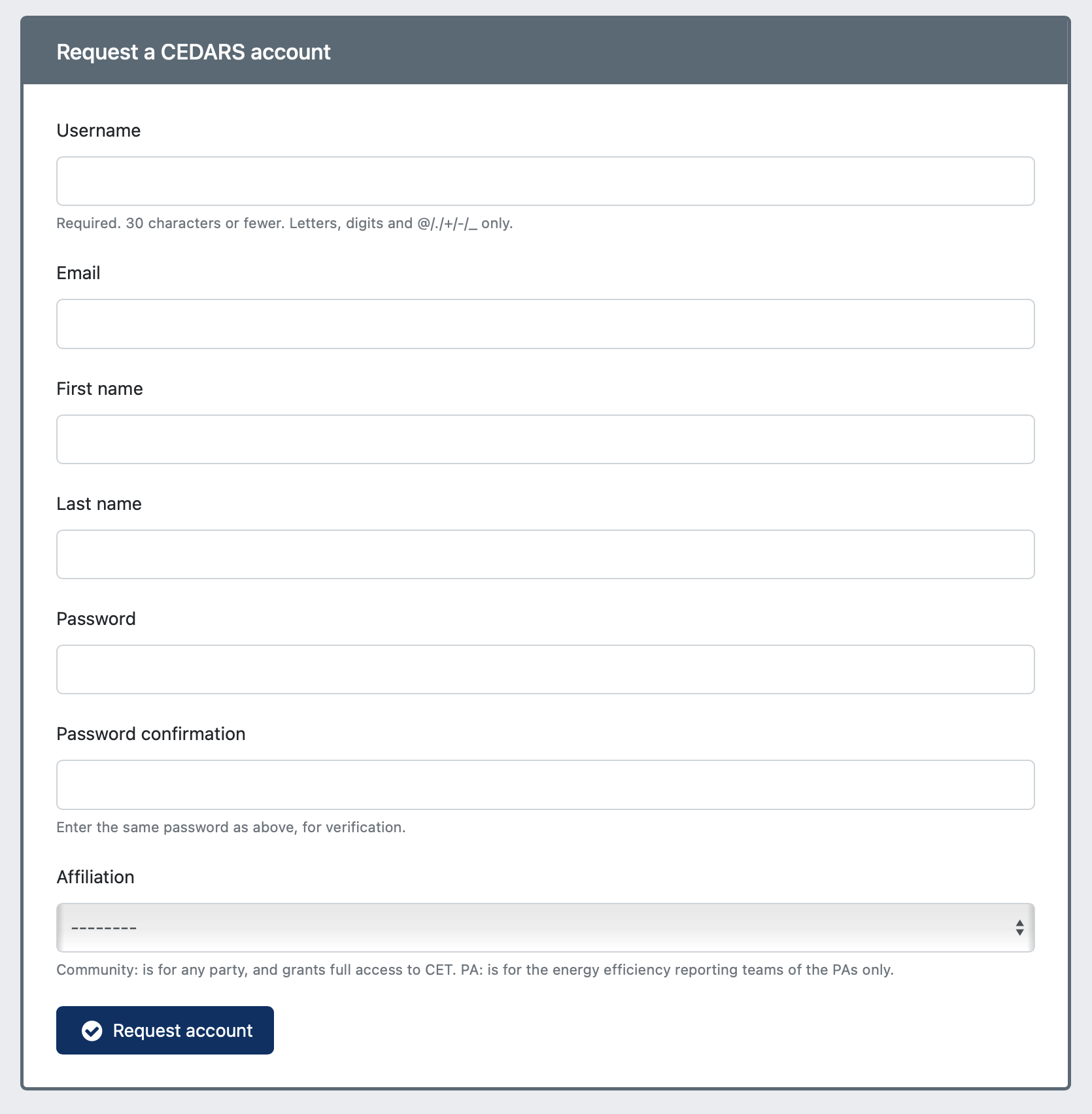
Once added to CEDARS, you may sign up for CEDARS PA user accounts. If you don't have a CEDARS user account, please go to the registration page in CEDARS and provide your information to sign up for one.
Required information
You will be asked to:
Select a user name for your account
Provide your work email address
Provide your first and last name
Set a secure password
Choose a program administrator that is your affiliation
Once you have provided the required information, click Request Account. See the attached screen grab of the CEDARS user account registration form.
Logging into your new account
Once you have requested your account, you must complete three steps before you can log into CEDARS with your new account.
The next step is to validate your email address. Check your inbox for an email from cedars@sound-data.com with a link to click to validate your email address.
Your team's lead PA administrator will be emailed to approve your account. The CEDARS development team will approve the first user account to establish the first PA administrator.
When the PA administrator approves your account, Amy Reardon will be emailed to approve it on behalf of the CPUC.
Approve other users
When Amy approves your account, you will receive an email that your account is approved, and you may log into CEDARS with your PA affiliation. We (the CEDARS development team) will approve the first PA user to establish the first PA admin who can approve other users. Please respond to this email when the first person has registered, and we will make them PA admins.
Each PA must designate at least one administrator who can confirm data submissions and approve user accounts; you may have more than one admin user. Please email us whenever you want administrative permissions granted to any user (or revoked). Please share this information with others from your organization who want to establish a CEDARS user account.
Next step
Adding programs in CEDARS - once your user account is in place.
Was this helpful?
Still need help? Ask the team