Changelog

Follow new updates and improvements to Cedars.

January 8th, 2026

New

CET

Users now have the ability to cancel CET runs. This resolves previous concerns about accidentally selecting incorrect files or handling files stuck in pending statuses.

✨ New features

  • Added a Cancel Run action to CET Upload History table for runs that are actively processing.

  • Introduced a confirmation screen when canceling a run, including the JobID so users can verify they’re canceling the correct job.

  • Selecting Keep Running CET returns users to Upload History with the job continuing as normal.

  • Selecting Yes, Cancel Run updates the run status to Canceled in CET Output.

  • Canceled runs persist after refresh and retain their JobID for traceability.

December 8th, 2025

New

Data & Reports

Navigation Updates

We've made updates to the CEDARS navigation to enhance your experience and simplify access to key dashboards. Here's what you need to know:

What's Changed?

  1. “Data” Tab - Relocation and Renaming of Pages:

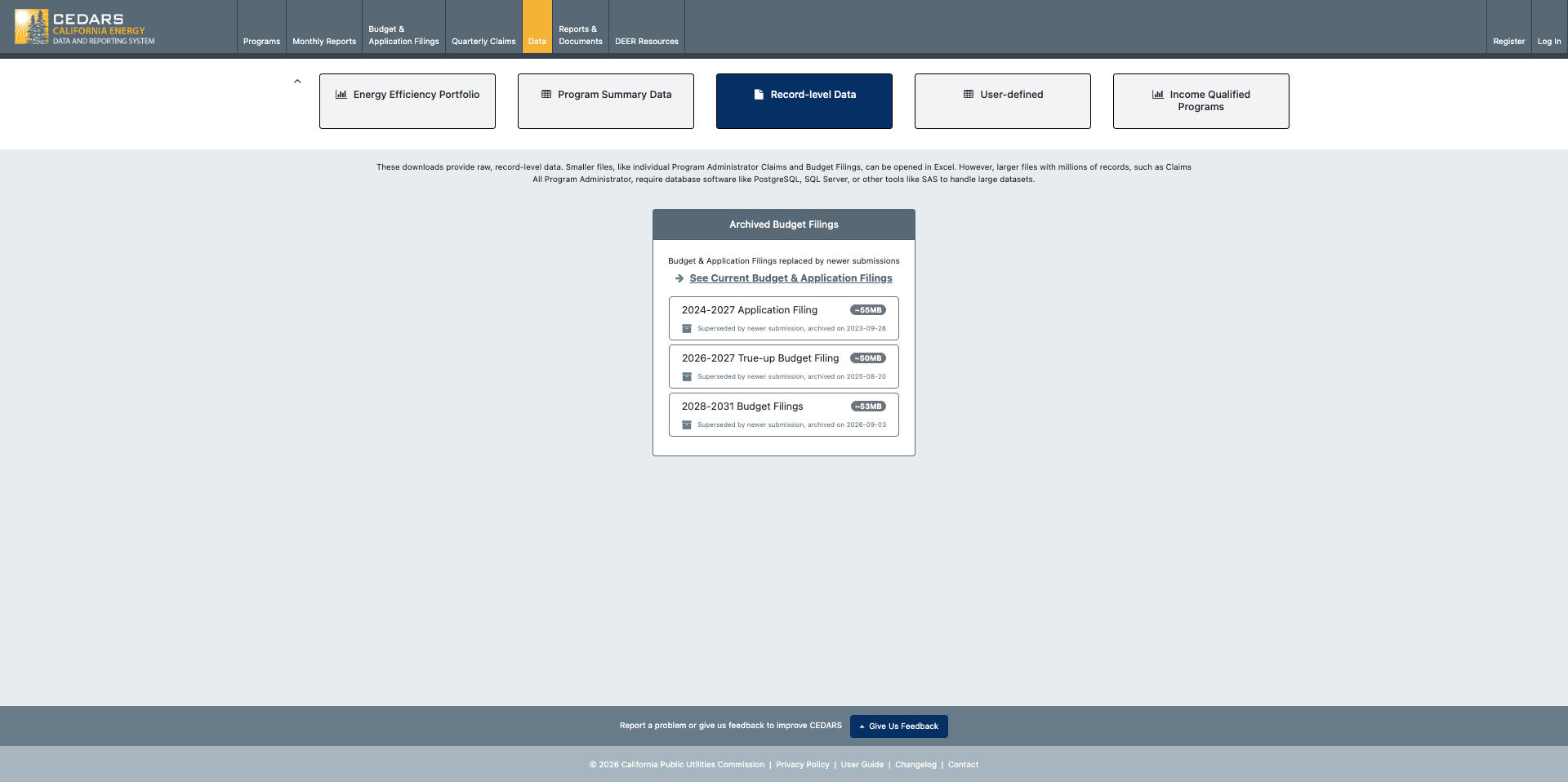
    • The "Data" tab on the top navigation bar provides a comprehensive view of California’s energy efficiency portfolio through multiple dashboards and data tools.

    • The "Income Qualified Program Data" tab has been relocated to a page in the "Data" tab as "Income Qualified Programs".

    • The “Summary” page has been renamed to “Program Summary Data”.

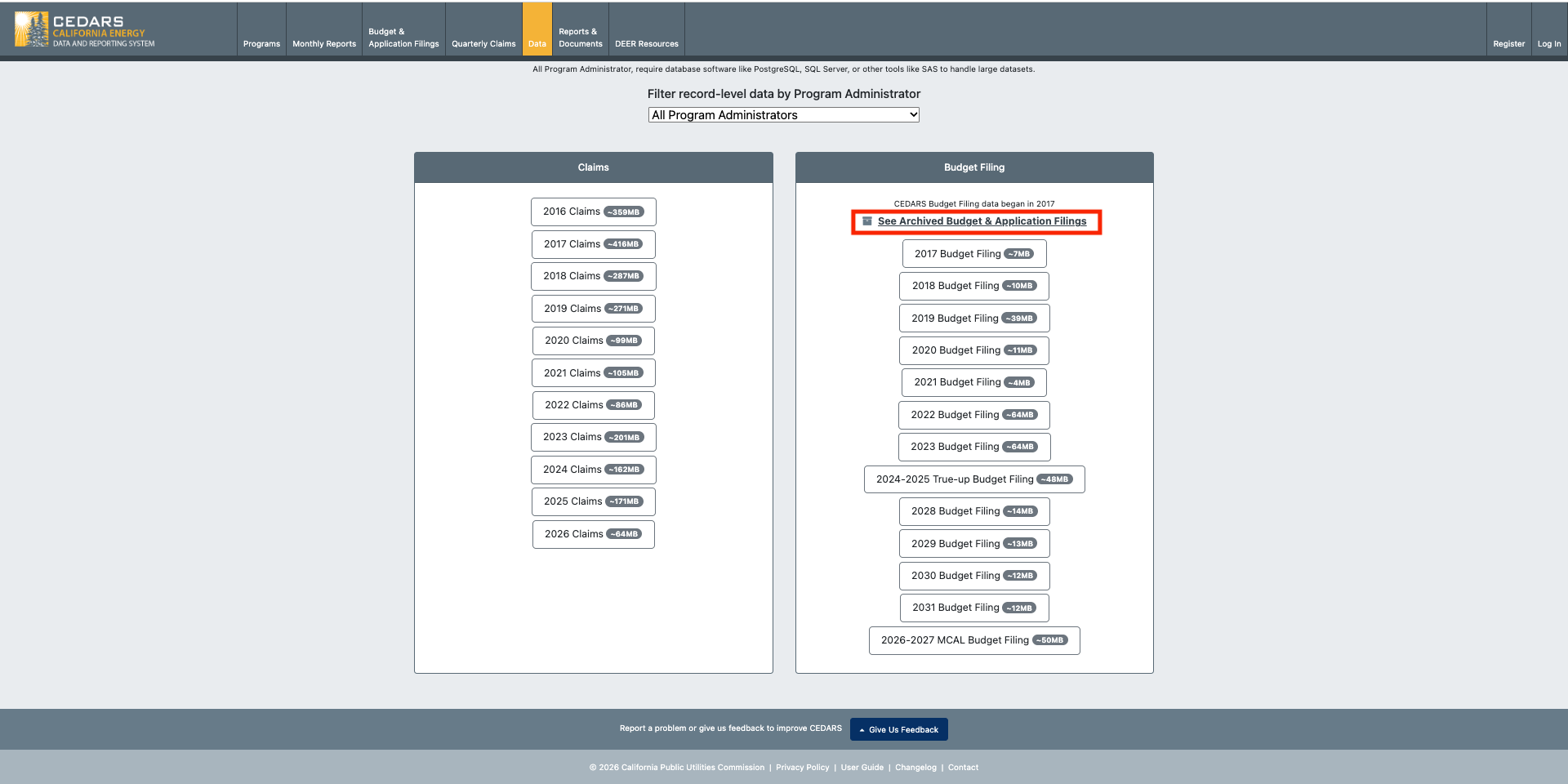
    • The "Record-level Downloads" page has been renamed to “Record-level Data”.

  2. The “Documents” tab has been renamed to “Reports & Documents”.

  3. We have added new “Energy Efficiency Portfolio” page.

Why Are We Making These Changes?

We aim to enhance usability by consolidating related features into one accessible location. This update will streamline navigation, making it easier for you to find tools and information more efficiently.


New “Energy Efficiency Portfolio” Dashboard

https://app.powerbi.com/view?r=eyJrIjoiNmJhYTY2OTktZTRmYS00MDU2LTgzMWEtMzc4MDlhYTQ2MzA0IiwidCI6IjI4YmViZTNmLTFjNTUtNDI1NS05OGZhLTBkNmMwNWM0ZjlmNSIsImMiOjZ9&pageName=bde3a9db9a25101b2081

Annual Claims

As part of Phase 1, this dashboard includes 2024 data only.

The dashboard provides a detailed and interactive analysis of statewide and local program performance, focusing on six key areas:

  • Goal Achievement

  • Forecast vs. Claimed

  • Cost Effectiveness

  • Budget and Expenditures

  • Energy Savings

  • Environmental Impact

The dashboard provides straightforward insights to help users gauge program efficiency, environmental results, and financial management.

Goal Achievement

Goal Achievement offers a clear view of each Investor-Owned Utility’s (IOU) progress toward its targets. The dashboard highlights goal attainment (Claimed vs. Goal) and the percentage achieved across key metrics: Total System Benefit, Electric Savings, Gas Savings, and Total Expenditures. It enables quick comparison of actual results against targets and helps track overall performance.

Forecast vs. Claimed

The Forecast vs. Claimed view compares what was projected in each PA’s budget application with what was actually delivered. Users can quickly see variances across Total System Benefit, Electric Savings (MWh), Electric Savings (MW), Gas Savings (MMTherms), and Total Expenditures. This view highlights where programs are outperforming, meeting, or falling short of forecasts

Cost Effectiveness

The Cost Effectiveness view provides key indicators such as the Total TRC Ratio, Total PAC Ratio, and Total RIM Ratio, enabling users to assess the overall efficiency and impact of programs. By analyzing these ratios, stakeholders can identify opportunities to optimize resource allocation and maximize program benefits.

Budget and Expenditures

The Budget and Expenditures view provides key indicators such as Filed Budget and Total Expenditures Claimed. In addition to high-level metrics, users can view a breakdown of Total Expenditures including Direct Implementation Costs, Rebates and Incentives, Admin Costs, Marketing Outreach, EMV, and Costs Recovered from Other Sources across different Implementer Types.

Energy Savings

The Energy Savings view tracks critical data points, including kWh Savings, Therm Savings, and kW Savings. These metrics provide a comprehensive view of energy conservation trends, helping to pinpoint areas where initiatives have successfully reduced consumption and identifying where additional efforts may be needed.

Environmental Impact

In the area of Environmental Impact, the dashboard provides insights into pollutants such as CO2, PM10, and NOx. This data helps measure the environmental benefits of programs, offering a quantitative basis for evaluating their contribution to cleaner air and a healthier ecosystem.


By combining these robust data points, the dashboard provides an intuitive yet comprehensive tool for stakeholders to evaluate and enhance program performance across multiple dimensions, driving sustainable and impactful outcomes.

Forecast

As part of Phase 2, this dashboard includes 2024-2027 data only.

Introduces multi-year visibility into program planning by incorporating 2024–2027 forecasted annual targets. The dashboard provides a comprehensive view of projected performance across six key areas:

  • Program Cycle Summary

  • Annual Targets

  • Budget & Cost Effectiveness

  • Budget Detail

  • Energy Savings

  • Environmental Impact

These visualizations allow users to understand expected outcomes over the full program cycle, evaluate planned budgets and cost effectiveness, and track anticipated savings and environmental benefits.

Program Cycle Summary

The Program Cycle Summary provides a high-level view of projected performance over the full 2024–2027 cycle. It includes Program Cycle TSB Goals, TSB Forecasts, and Budget Forecasts, along with Program Cycle IOU Territory TSB Forecasts by PA. This view helps users assess whether long-term forecasts align with statewide goals and planned budgets.

Annual Targets

The Annual Targets view compares each year’s TSB Target against the TSB Forecast, highlighting gaps or over-performance at a glance. It also includes IOU Territory TSB Forecasts by PA, offering a clearer picture of how annual expectations vary across service territories.

Budget & Cost Effectiveness

Budget & Cost Effectiveness presents Annual TSB Forecasts alongside Budget Forecasts to show how projected benefits relate to planned spending. It also includes Annual Cost Effectiveness Forecasts and program-level CE data, enabling users to evaluate expected value and efficiency across portfolios.

Budget Detail

The Budget Detail view breaks down Total Budget by category and shows Budget allocation by portfolio segment as a percentage of the total. This helps users understand how funding is distributed and where major cost drivers sit within the forecast period.

Energy Savings

The Energy Savings view provides forecasts for Electric Savings (kWh), Gas Savings (Therms), and Demand Savings (kW). These indicators allow users to track expected conservation outcomes and compare projected savings across technologies and portfolios.

Environmental Impact

The Environmental Impact view includes forecasted CO₂, PM10, and NOx reductions, expressed in metric tons. Program-level environmental impact forecasts are also included, giving users a clear understanding of anticipated air quality benefits associated with planned program activities.


November 14th, 2025

Improved

Budget Filing

Data & Reports

We’ve expanded the 2026–2027 MCAL Budget Filing download on the Record-level Data page in CEDARS.

What’s new

  • The full set of CET cost-effectiveness fields has been added to the Record-level Data download.

  • The data source for this download has now been aligned with the Budget Filing Cost Effectiveness Data download on the PA Filing Dashboards.

  • Both downloads now use one consolidated dataset, including all program-level details

Fields added:

Fuel ID

Unit Tax Credits

Water Energy Benefits

Water Energy Benefits Gross

Water Energy Cost

Water Energy Cost Gross

Electric Bill Reduction

Electric Bill Increase

Gas Bill Reduction

Gas Bill Increase

Electric Benefits Gross SCB

Electric Benefits Gross SCH

Electric Benefits SCB

Electric Benefits SCH

Electric Supply Cost Gross SCB

Electric Supply Cost Gross SCH

Electric Supply Cost SCB

Electric Supply Cost SCH

Gas Benefits Gross SCB

Gas Benefits Gross SCH

Gas Benefits SCB

Gas Benefits SCH

Gas Supply Cost Gross SCB

Gas Supply Cost Gross SCH

Gas Supply Cost SCB

Gas Supply Cost SCH

RIM Cost No Admin

SCB Cost

SCB Cost Gross

SCB Ratio No Admin

SCH Cost

SCH Cost Gross

SCH Cost No Admin

SCH Ratio No Admin

Tax Credits

Tax Credits Gross

Water Energy Benefits Gross SCB

Water Energy Benefits Gross SCH

Water Energy Benefits SCB

Water Energy Benefits SCH

Water Energy Cost Gross SCB

Water Energy Cost Gross SCH

Water Energy Cost SCB

Water Energy Cost SCH

November 7th, 2025

Fixed

Budget Filing

This release fixes data discrepancies between Budget Filing Dashboard Tables and their corresponding download files. It also ensures the All PAs Budget Filing Summary Table matches the summary tables in individual PA Budget Filing Dashboards. There has also been an update to the Implementation Plan and Change Summary Template files available when uploading supporting documents to programs.


Fixed Budget Filing SCT_Base and SCT_High Discrepancy Between Dashboard and Downloads

Corrected an issue where SCT_Base and SCT_High values in dashboard tables and their downloads were showing different values.


Fixed Gross Savings Reflecting Net Savings Values on the Dashboard Summary Tables and Downloads

Corrected an issue where Gross kWh, Gross kW, and Gross Therm values in the dashboard per sector summary tables for the Cross-Cutting Sector were incorrectly reflecting net savings. As a result, the Portfolio (All Sectors) Gross kWh, Gross kW, and Gross Therm values also now match between the summary tables and downloads.


Fixed Total System Benefits Values on the All PAs Dashboard, PA Dashboard Summary Tables, and Downloads

Corrected an issue where Total System Benefits values in dashboard tables and their downloads were showing different values. In addition, the per sector Total System Benefits on the All PAs dashboard now match the corresponding values in individual PA dashboard summary tables.


Budget Filing IP Template Update

The Implementation Plan (IP) Guidance Document and Change Summary Template available for download in the Programs module have been updated to the latest versions.

What’s changed

  • Replaced outdated documents with the current IP Guidance and Change Summary templates.

  • Ensures all users download the latest approved versions when updating Implementation Plans.

Energy_Efficiency_Implementation_Plan_Ver_3.0_Mar_2025.pdf

350.5 KB Document

November 6th, 2025

New

Claims

Monthly Reports

Budget Filing

With the issuance of CPUC Decision D.25-08-034 (August 28, 2025), the Commission adopted new Total System Benefit (TSB) and energy savings goals for program years 2026–2037. CEDARS has been updated to reflect the latest goals and savings from that decision.

What’s New

  • Updated TSB and energy savings goals for all IOUs for 2026–2031.

  • The revised goals are reflected in both:

    • Budget Filing → Goal Attainment Summaries

    • Claims → Goal Attainment Summaries

Reference Documents

D.25-08-034.Potential.and.Goals.Decision.2025.pdf

965.4 KB Document

November 6th, 2025

Improved

Fixed

Budget Filing

Data & Reports

This release fixes Statewide allocation and data display issues for 2026 and 2027 MCAL budget filing, ensuring accurate program visibility on dashboards. It also updates Budget Filing downloads to include missing SCT output fields and additional CET outputs for complete Cost Effectiveness reporting of Budget Filings.


Budget Filing Statewide Allocation Fixes

  • Resolved a problem allowing program administrators to confirm and allocate statewide submissions despite Program Administrators marked in progress.

  • Addressed discrepancies in Statewide allocations for years 2026 and 2027, ensuring the program data populates accurately on local dashboards.


Zero out TSB when Exclude_From_CE=True

When programs have the flag Exclude_From_CE=True TSB is now zeroed out to avoid confusion and maintain consistency. This has been applied to the budget filing dashboards and record level download.


Codes and Standards showing gross savings instead of showing net savings in place of gross savings

We updated the code for budget filings so that codes and standards are no longer handled differently than other measures. Specifically, we now show the gross savings for C&S instead of showing net savings in place of gross savings for C&S only.


Budget Filing CET Output Downloads

  • Corrected an issue where the Budget Filing report for Cost Effectiveness did not include SCT outputs in downloaded data.

  • Added the additional CET outputs to downloads that were part of the CET module but not yet added to Budget Filings.

  • Added inputs to the output file

  • Fixed a bug where the Budget Filing Cost Effectiveness Output download would sometimes have different files depending on browser or device.

CET output fields added to downloads:

AnnualGrossKW

AnnualGrossKWh

AnnualGrossThm

AnnualNetKW

AnnualNetKWh

AnnualNetThm

BillIncrElec

BillIncrGas

BillReducElec

BillReducGas

DiscountedSavingsGrosskWh

DiscountedSavingsGrossThm

DiscountedSavingsNetkWh

DiscountedSavingsNetThm

ElecBen_SB

ElecBen_SH

ElecBenGross_SB

ElecBenGross_SH

ElecSupplyCost_SB

ElecSupplyCost_SH

ElecSupplyCostGross_SB

ElecSupplyCostGross_SH

ExcessIncentivesPV

GasBen_SB

GasBen_SH

GasBenGross_SB

GasBenGross_SH

GasSupplyCost_SB

GasSupplyCost_SH

GasSupplyCostGross_SB

GasSupplyCostGross_SH

GrossMeasCostPV

GrossParticipantCostAdjusted

GrossParticipantCostAdjustedPV

GrossParticipantCostPV

LevBenElec

LevBenGas

LevNetBenPACElec

LevNetBenPACElecNoAdmin

LevNetBenPACGas

LevNetBenPACGasNoAdmin

LevNetBenRIMElec

LevNetBenRIMGas

LevNetBenTRCElec

LevNetBenTRCElecNoAdmin

LevNetBenTRCGas

LevNetBenTRCGasNoAdmin

LevPACCost

LevPACCostNoAdmin

LevRIMCost

LevTRCCost

LevTRCCostNoAdmin

MarkEffectPlusExcessIncPV

NetParticipantCostAdjusted

NetParticipantCostAdjustedPV

NetParticipantCostPV

PACLifecycleNetBen

RebatesandIncentsPV

RIMCostNoAdmin

RIMRatio

RIMRatioNoAdmin

SCBCost

SCBCostGross

SCBCostNoAdmin

SCBRatio

SCBRatioNoAdmin

SCHCost

SCHCostGross

SCHCostNoAdmin

SCHRatio

SCHRatioNoAdmin

TaxCredit

TaxCreditsGross

TRCCostGross

TRCLifecycleNetBen

WaterEnergyBen_SB

WaterEnergyBen_SH

WaterEnergyBenGross_SB

WaterEnergyBenGross_SH

WaterEnergyCost_SB

WaterEnergyCost_SH

WaterEnergyCostGross_SB

WaterEnergyCostGross_SH

WeightedElecAlloc


Budget Filing Receipt

We also added additional fields to the budget filing receipt.

SCB

SCH

RIMCost

SCBCost

SCHCost

ElecSupplyCost

GasSupplyCost

WaterEnergyCost

OtherCost

October 21st, 2025

New

Improved

Claims

A new Goal Attainment Summary Bar Chart is now available on the Confirmed Dashboard in the Claims Module for claim years 2024 onwards. This visualization clearly shows IOU progress toward goals by comparing Total System Benefit (TSB) and Codes & Standards (C&S) net savings (GWh, MW, MMTherms) against their targets. Each bar includes percentage labels to make performance gaps and achievements immediately clear.

2024 Pacific Gas & Electric Goal Attainment
https://cedars.cpuc.ca.gov/claims/confirmed-dashboard/PGE/

2024 San Diego Gas & Electric Goal Attainment
https://cedars.cpuc.ca.gov/claims/confirmed-dashboard/SDGE/

2024 Southern California Edison Goal Attainment
https://cedars.cpuc.ca.gov/claims/confirmed-dashboard/SCE/

2024 Southern California Gas Goal Attainment
https://cedars.cpuc.ca.gov/claims/confirmed-dashboard/SCG/

Guidance Updates

  • Updated descriptive text on the goal attainment page:

    "Commission Decision (D.)23-08-005 established IOU territory goals for 2024-2035 for incentive programs, expressed as Total System Benefit (TSB), and Codes and Standards programs, which are expressed in terms of net savings (GWh, MW, MMTherms). Energy Savings Assistance savings achievements do not contribute to IOU goals."

  • Updated REN/CCA accomplishments:

    • Pacific Gas & Electric goal attainment values include accomplishments from Ava Community Energy, Bay Area Regional Energy Network, Central California Rural REN (74%), CleanPowerSF, Marin Clean Energy, Peninsula Clean Energy, East Bay Community Energy, Redwood Coast Energy Authority, Rural REN North, San Jose Clean Energy and Tri-county Regional Energy Network (45.6%).

    • San Diego Gas & Electric goal attainment values include accomplishments from San Diego REN.

    • Southern California Edison goal attainment values include accomplishments from Central California Rural REN (20%), Inland Regional Energy Network (77.5%), Southern California Regional Energy Network (85.6%) and Tri-county Regional Energy Network (34.4%).

    • Southern California Gas goal attainment values include accomplishments from Central California Rural REN (6%), Inland Regional Energy Network (22.5%), Southern California Regional Energy Network (14.4%) and Tri-county Regional Energy Network (20%).

September 30th, 2025

Improved

The CEDARS team support email that is offered to users has been updated in several locations across the CEDARS site from "cedars-help@sound-data.com" to the current "cedars-team@sound-data.com".

September 30th, 2025

Improved

Claims

Monthly Reports

Budget Filing

Changes have been applied accordingly across all tables in the Budget Filings, Monthly Reports, and Claims modules:

  • Net columns listed before Gross columns

  • Total rows listed at the top of each table

  • Hyperlinks added to Program ID’s in missing tables


Budget Filings:

  • Gross & Net columns swapped

  • Portfolio (All Sectors) row moved to top

  • All Program Segments row moved to top

  • Total Records Submitted row moved to top


Monthly Reports:

  • Gross & Net columns swapped

  • Portfolio (All Sectors) row moved to top

  • Hyperlinks added to Program ID’s


Claims:

  • Gross & Net columns swapped

  • Portfolio (All Sectors) row moved to top

  • All Program Segments row moved to top

  • Total Submitted row moved to top

  • Total Claims row moved to top

  • Hyperlinks added to Program ID’s


September 3rd, 2025

Improved

Budget Filing

Record-Level Data – Budget Filing Label Fix:

  • Updated label from 2024–2027 True-up Budget Filing2024–2025 True-up Budget Filing to reflect the actual years available from CEDARS.

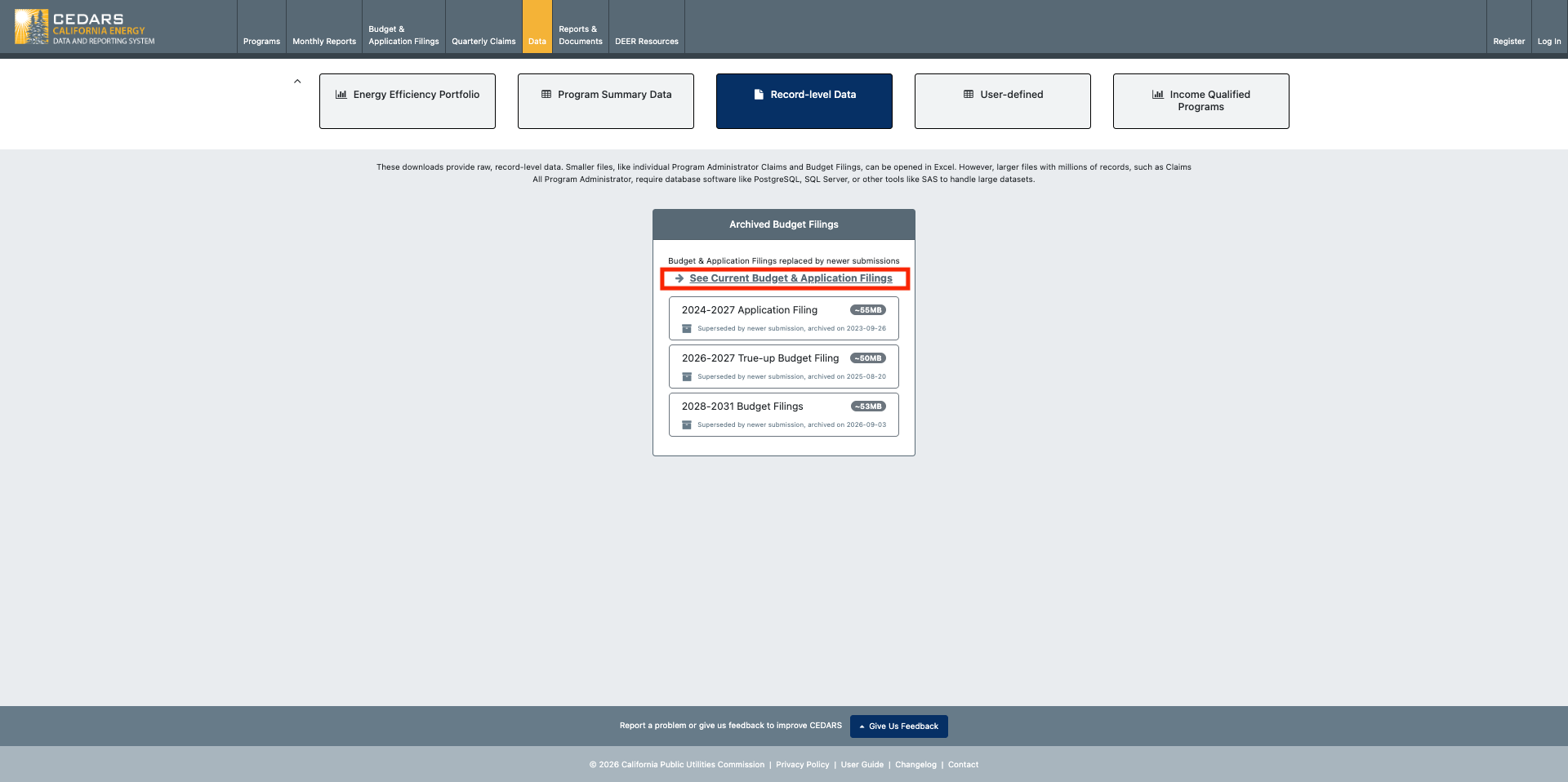
  • Note: The 2026–2027 True-up Budget Filing data has been archived to make way for MCAL Budget Filing submissions for 2026-2027, and is available to download from the same page.