Data logic
Written By cedars team
Last updated About 1 month ago
To begin, measure package developers must select the draft measure package they are uploading load shapes for.
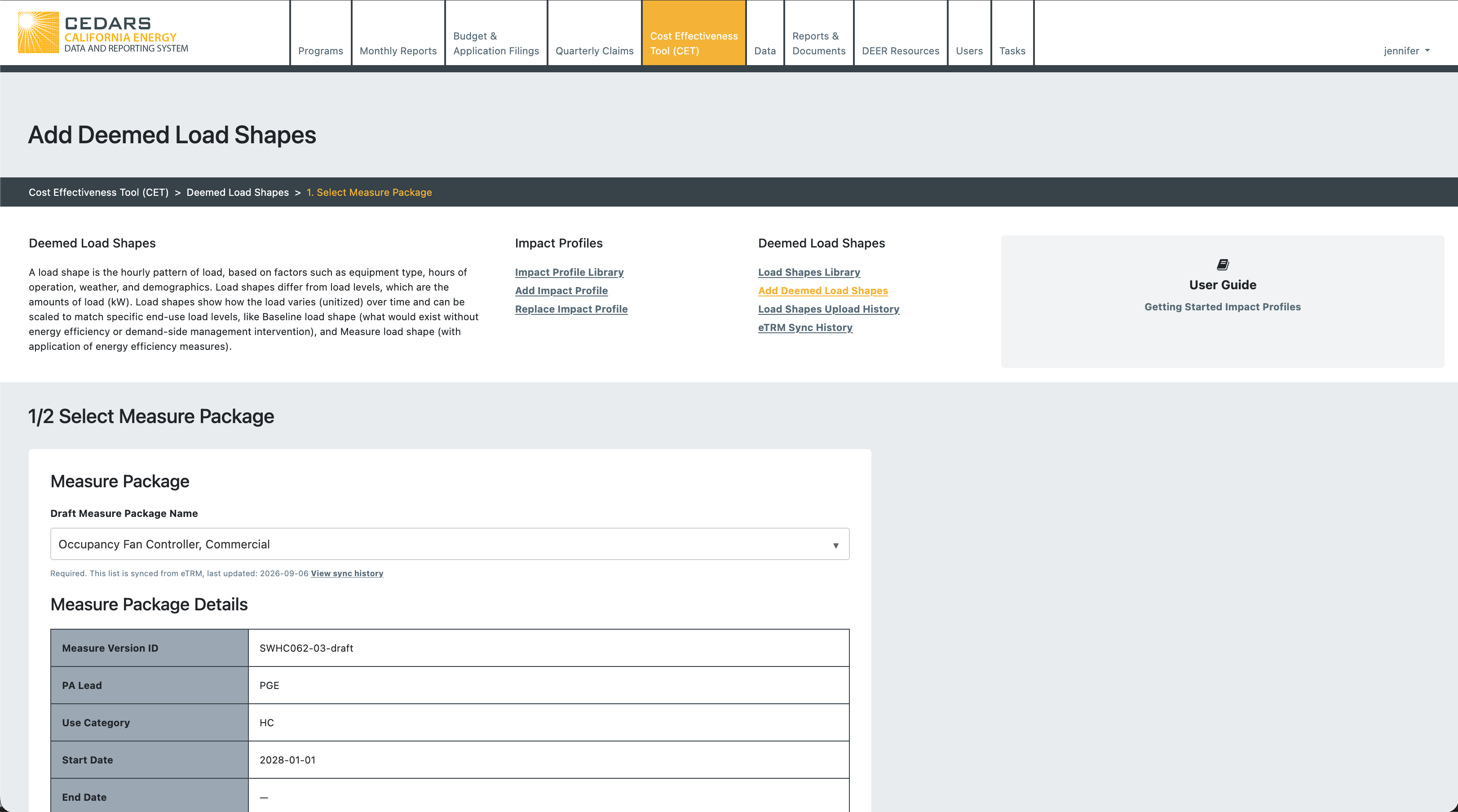
When the measure package developer selects the draft measure package, CEDARS shows them the details from the permutation data and then saves the draft permutation data for the measure package.
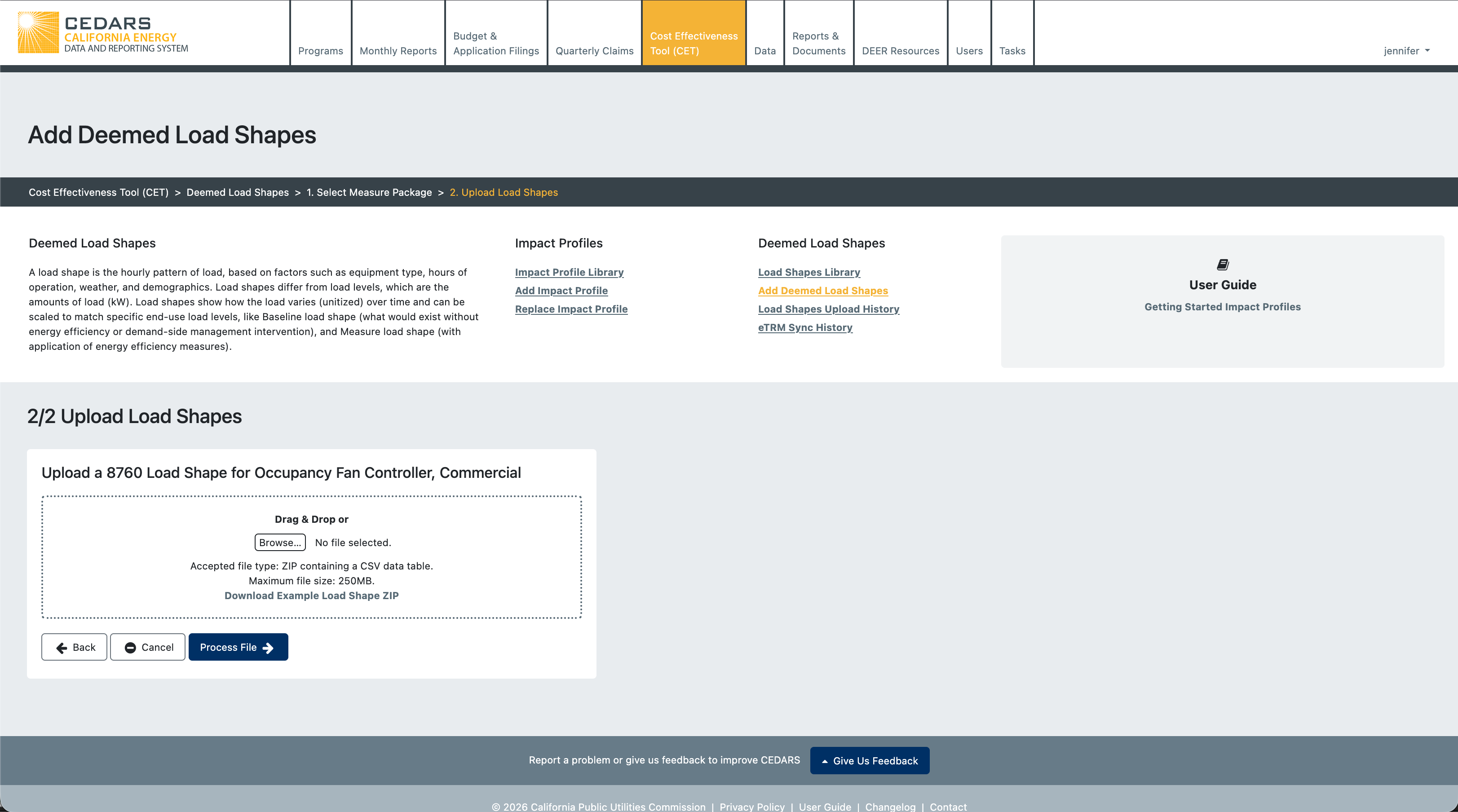
The measure package developer can then upload the load shapes for that measure package. CEDARS allows upload for a subset of the total technologies in the measure package, or all technologies may be uploaded.
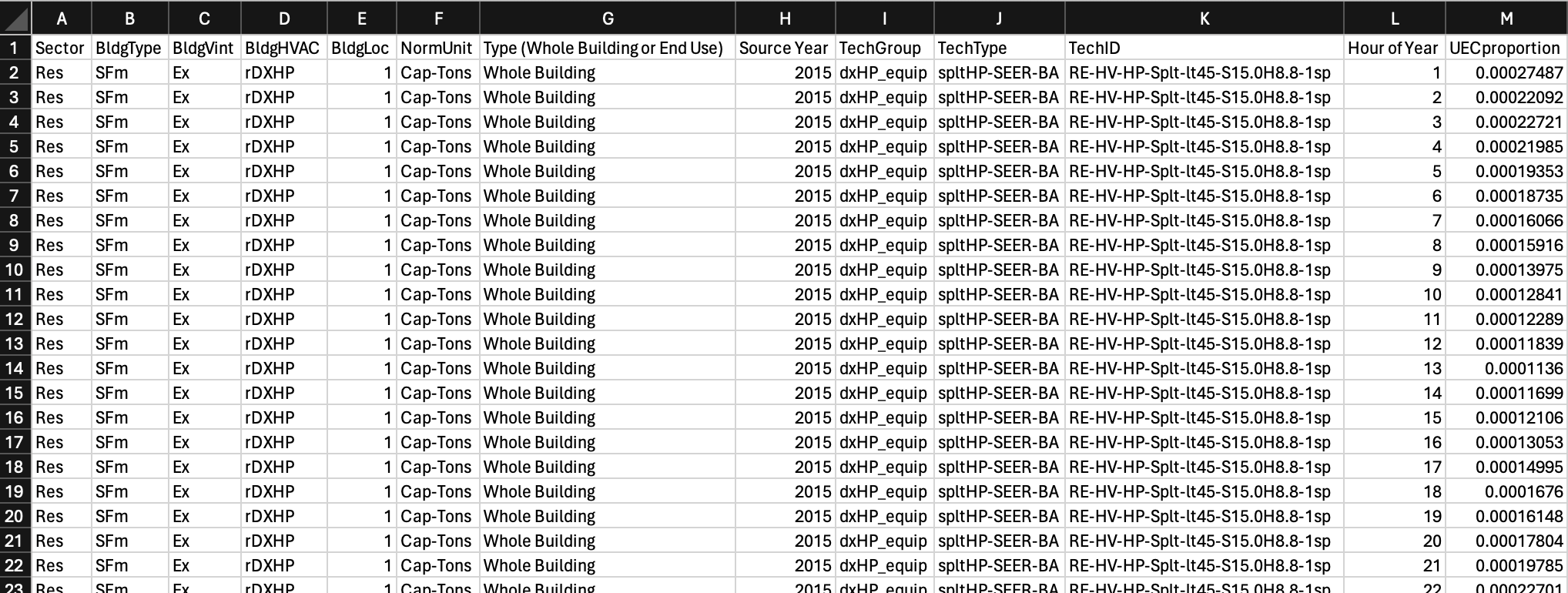
Load shape upload files have the form:
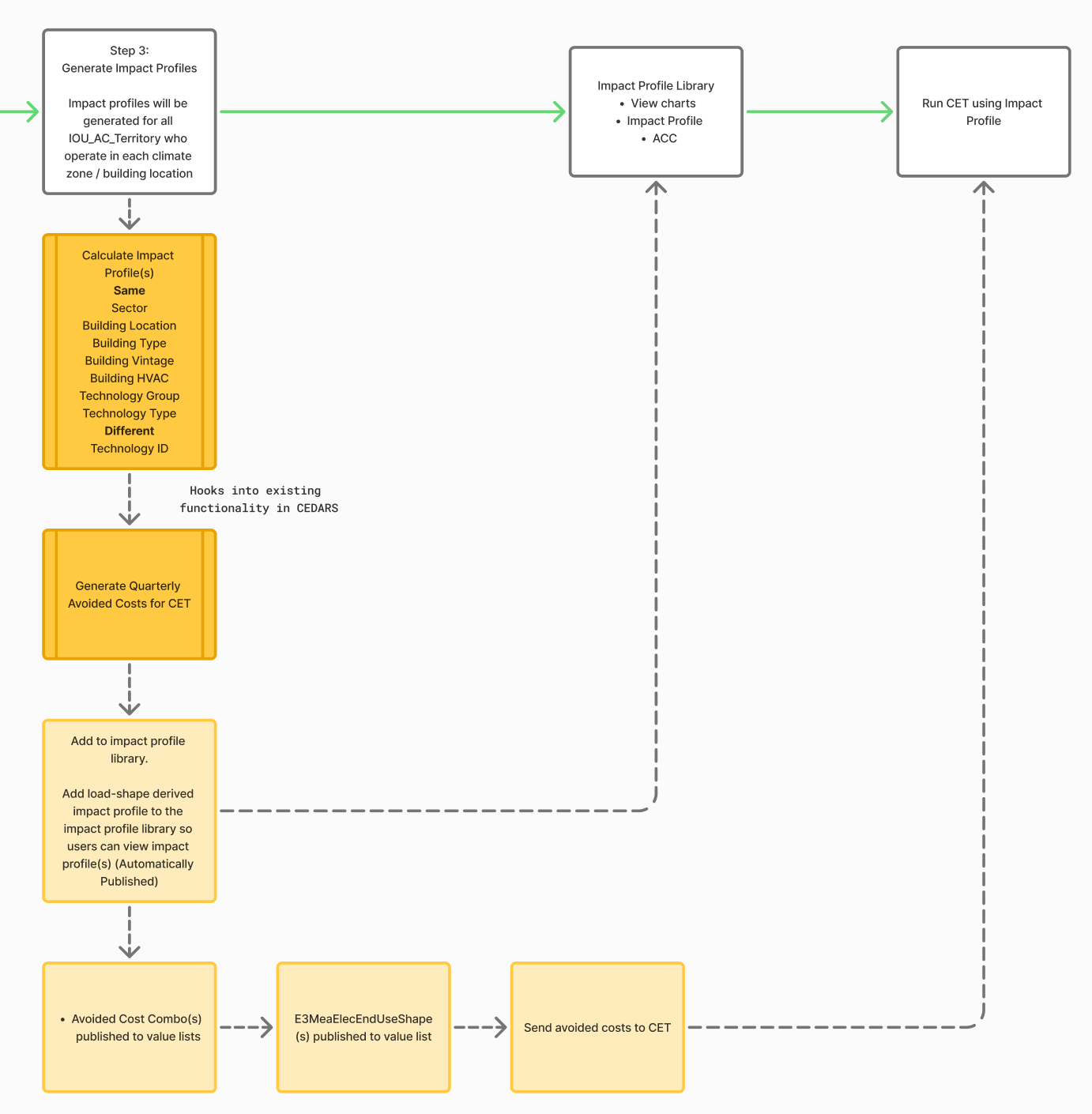
The measure package developer may upload one or more load shape files for one measure package. When load shape processing completes the measure package developer can then click “Generate Impact Profiles”. At that point, CEDARS pulls in the unique permutation options for base and measure TechID combinations together with the unit energy consumption (UEC) for both base and measure technologies. Using the TechID pairing from the permutation data, CEDARS then multiplies the load shape by the UEC for both measure and base technologies, and then subtracts the base from the measure to produce the impact profile for the energy savings. The impact profile is then normalized by dividing it by the UEC-base minus the UEC-measure. CEDARS generates that normalized impact profile for every unique combination of base and measure technology in the permutation data that have load shapes.
Was this helpful?
Still need help? Ask the team