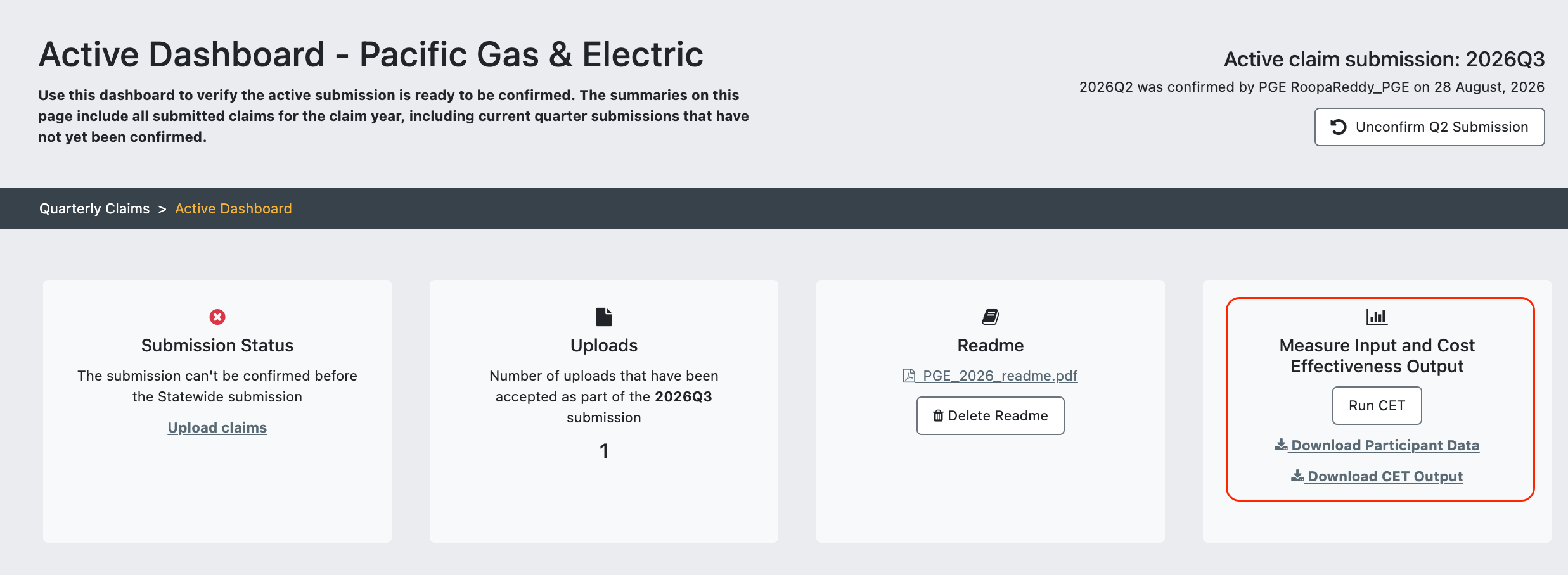
The Download CET Output file on the Local and Statewide Active Dashboard has been updated to contain the same set of fields as the Confirmed Claims record-level download available on the Confirmed Dashboards and the Data tab.
Changes have also been made to the Active and Confirmed Claims Dashboards, relevant download file names, and Confirmed Claims record-level download file, to make the downloads comprehensive, non-redundant, and clearly distinguishable from one another.
Note that the Active Claims Dashboards are visible only to the submitting PA, whereas the Confirmed Claims Dashboards and Data tab are available to all users.
Changes to the Active Dashboard Download CET Output file and Confirmed Dashboard/Data tab Claims record-level download file
All fields included in the Confirmed Claims record-level download file but missing from the Download CET Output file on the Local and Statewide Active Dashboards have been added to Active Dashboard file.
Additionally, the following fields have been added to both the Active and Confirmed Claims downloads:
IOU_AC_Territory: This addition ensures that IOU territory information is preserved in the record-level data, particularly for Statewide programs.
SiteID: This addition ensures that the field is still downloadable from the Active dashboard after the Download Claim Inputs file has been removed (see below)
Please note that although the Active and Confirmed Claims downloads now contain the same set of fields, the Active file will continue to use the exact field names while the Confirmed file contains user-friendly field names. Also, the excluded_from_budget and excluded_from_ce flag logic will continue to be applied only to the Confirmed file.
Additional changes to the Claims dashboards
The Download Claim Inputs file has been removed from the Local and Statewide Active dashboards as the Claim Input fields are now available in the Download CET Output file.
"Record-level" has been removed from all "Record-level Measure Input and Cost Effectiveness Output” cards (Local and Statewide, Active and Confirmed Dashboards).
Changes to download file names
The file names downloaded from the Active/Confirmed dashboards and Data tab have been updated to specify the claim year, PA scope, and “active” or “confirmed" for each download.
The Statewide Confirmed Claims file download name (from both the Statewide Confirmed Dashboard and the Data tab) also includes “unallocated” for clarity.
Below are the changes made to each download name:
Local Active Dashboard:
cet-output.csv → [PA]_active_claims_records_[claim year].csv
Local Confirmed Dashboard / Data tab PA download:
[PA]_claims_records_[claim year].csv → [PA]_confirmed_claims_records_[claim year].csv
Statewide Active Dashboard:
cet-output.csv → sw_active_claims_records_[claim year].csv
Statewide Confirmed Dashboard / Data tab Statewide Claims download:
sw_claims_records_[claim year].csv → sw_unallocated_confirmed_claims_records_[claim year].csv
Data tab All PAs Claims download:
all_pas_claims_records_[claim year].csv → all_pas_confirmed_claims_records_[claim year].csv