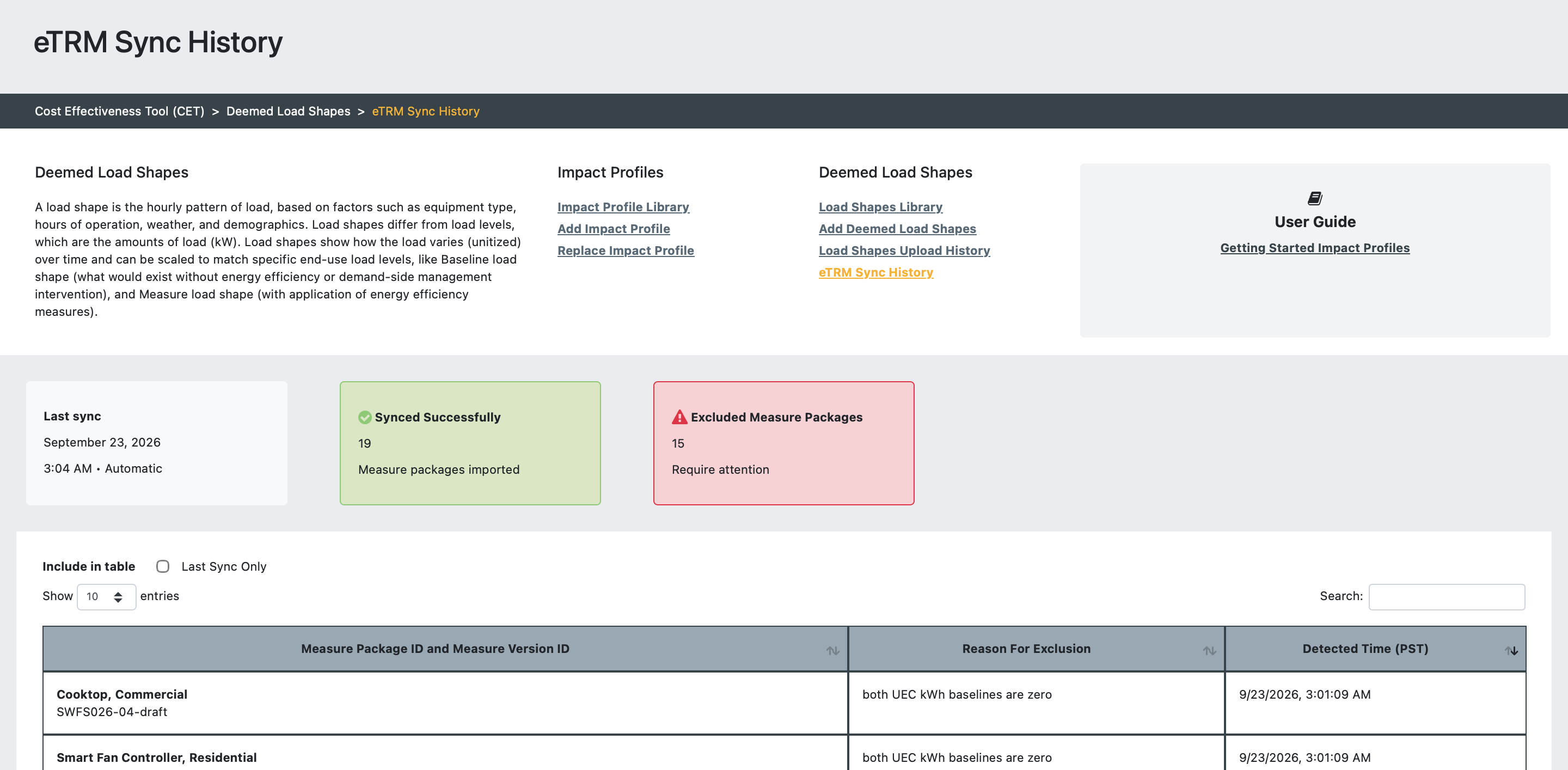
The eTRM draft measure package sync is now more resilient to invalid measure package data. Packages with problem data are excluded from the sync, and you can see which ones and why on the new eTRM Sync History page in the Load Shapes module.
What's new
A last successful sync date and time
Counts of Measure Packages imported and excluded in the last sync
A searchable, paginated table of excluded packages, showing the Draft Measure Package name, Measure Version ID, reason for exclusion, and detection timestamp
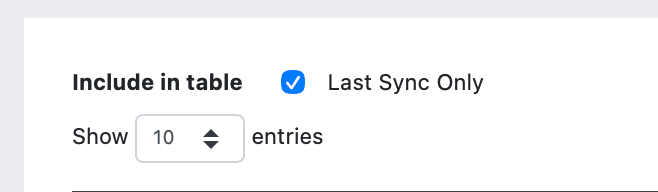
A filter to show only packages excluded in the most recent sync
Exclusion reasons for both UEC kWh baselines being zero, missing permutations, and UECkWhMeas being zero, plus a generic reason for any unexpected processing error
Where to find it
All users that have access to the CET can open it from the Load Shapes sub-navigation.
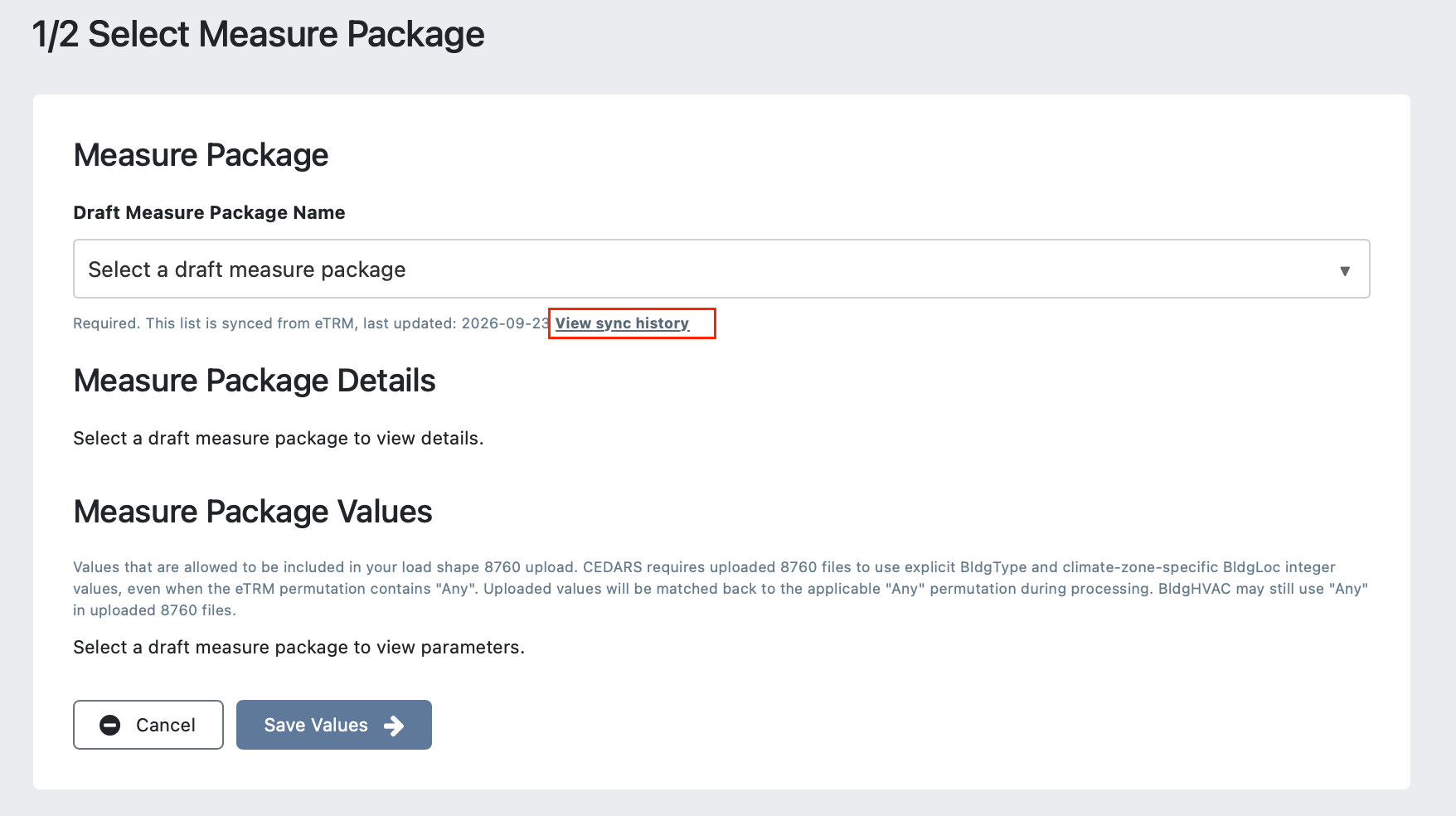
Measure developers can also use the View sync history link beneath the Draft Measure Package selector on the 1/2 Select Measure Package page.
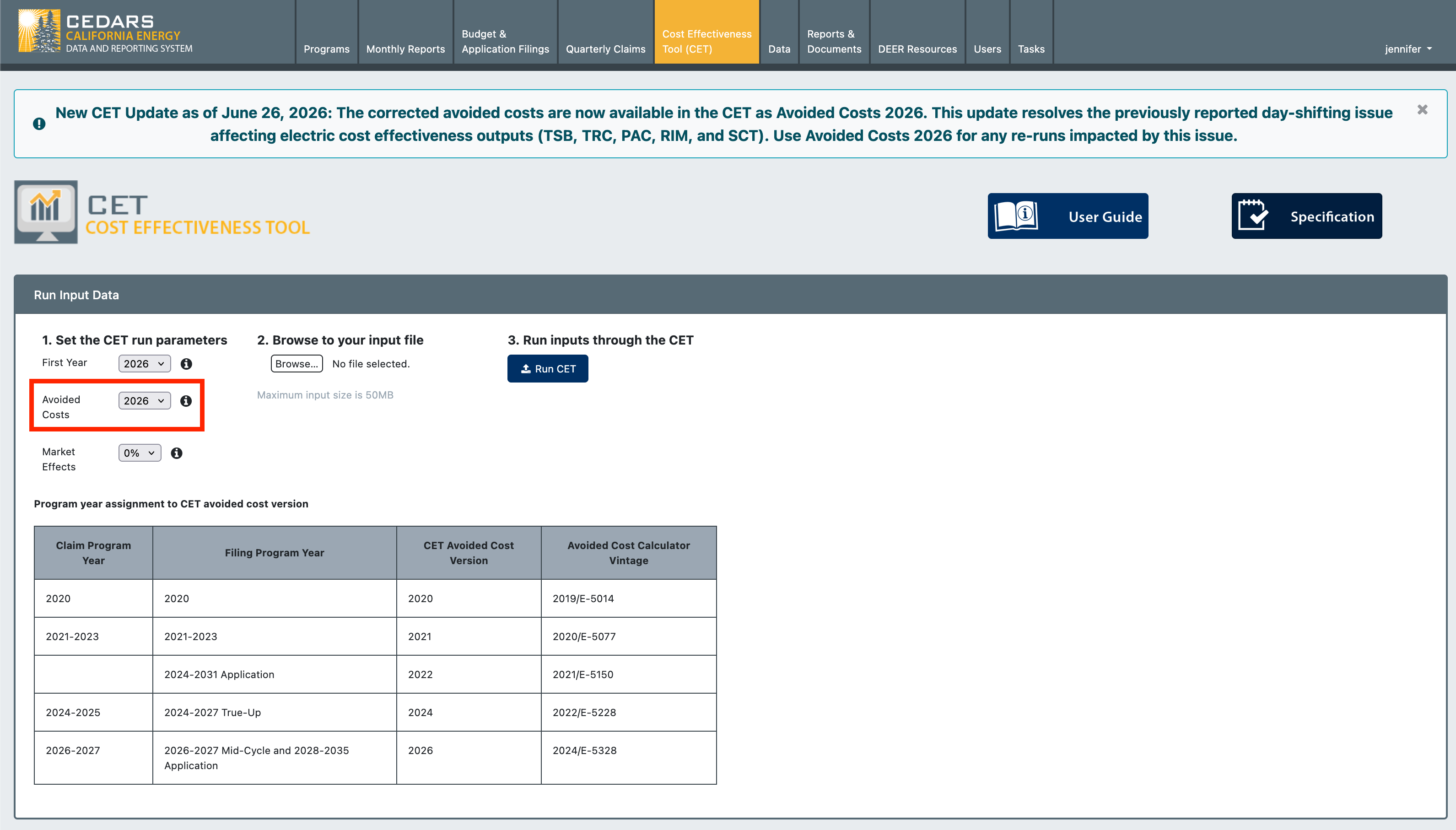
On June 26, 2026, a corrected 2026 version of the electric Avoided Cost table used for the 2026 and 2027 program years was added to the CET. The new data table resolves a day-shifting code error that affected the 2026 version electric avoided costs, and correspondingly the calculated cost effectiveness outputs using those costs, since the 2026 version was released in August 2025. The issue caused electric avoided costs to be misaligned with the hourly impact profile day of the week when calculating the quarterly avoided cost data used in the CET to calculate cost effectiveness metrics.
The correction affects the following electric cost effectiveness outputs:
Total System Benefit (TSB)
Total Resource Cost (TRC)
Program Administrator Cost (PAC)
Ratepayer Impact Measure (RIM)
Societal Cost Test (SCT)
The following outputs were not affected:
Energy savings (kW, kWh, Therms)
GHG outputs
All Gas cost effectiveness calculations
Action Required
Users who generated CET results using the previous avoided cost data should review their analyses and, as needed, rerun cost effectiveness calculations using the corrected version, available as Avoided Costs 2026 in the CET run parameters.
CEDARS now supports creating Impact Profiles derived from uploaded deemed load shapes.
This release introduces the first MVP version of the Load Shapes Tool, focused on supporting draft measure package development and Impact Profile generation for cost effectiveness analysis. Future enhancements will continue to improve performance, visibility, and usability.
The Load Shape Tool can be accessed via the Cost Effectives Tool (CET) module > Impact Profiles & Load Shapes.
What's New
For Program Administrator Users
Select draft measure packages synchronized from eTRM.
Upload 8760 deemed load shape data.
Validate load shape files against measure package metadata and permutations from the eTRM.
View upload history and QC summary of uploads.
Add load shapes to the Load Shape Library.
Generate Impact Profiles from uploaded load shapes.
Use published Impact Profiles derived from load shapes in CET runs.
How It Works
Draft measure packages are synchronized from eTRM to CEDARS each evening.
Users select a draft measure package and review the permitted permutation values.
Users upload associated 8760 load shape files.
CEDARS validates the uploaded data against the measure package configuration.
Successful uploads are added to the Load Shape Library.
Users generate Impact Profiles from successful load shape uploads.
CEDARS automatically calculates avoided costs.
Published Impact Profiles become available for use in CET the following day.
Select measure package and view allowed values for the 8760 upload.
Upload Load Shapes 8760 data
8760 Load Shape Files
Load shapes files will be generated by EnergyPlus building simulation models in the correct format to be uploaded to CEDARS. A load shape provides normalized unit energy consumption for every hour of one year for a total of 8760 records per load shape.
New load shapes submit to CEDARS are identified by the fields:
BldgType
BldgVint
BldgHVAC
TechID
The buildings and technologies in the load shape file must match the draft measure data for the measure package selected for the upload. PAs may upload load shapes for subsets of the technologies in a measure package, or for all technologies.
CEDARS requires 8760 files to use explicit BldgType and climate-zone-specific BldgLoc integer values, even when the eTRM permutation contains "Any". Uploaded values will be matched back to the applicable "Any" permutation during processing. BldgHVAC may still use "Any" in uploaded 8760 files. View Example File
Users can generate impact profiles from uploads that pass all validation checks
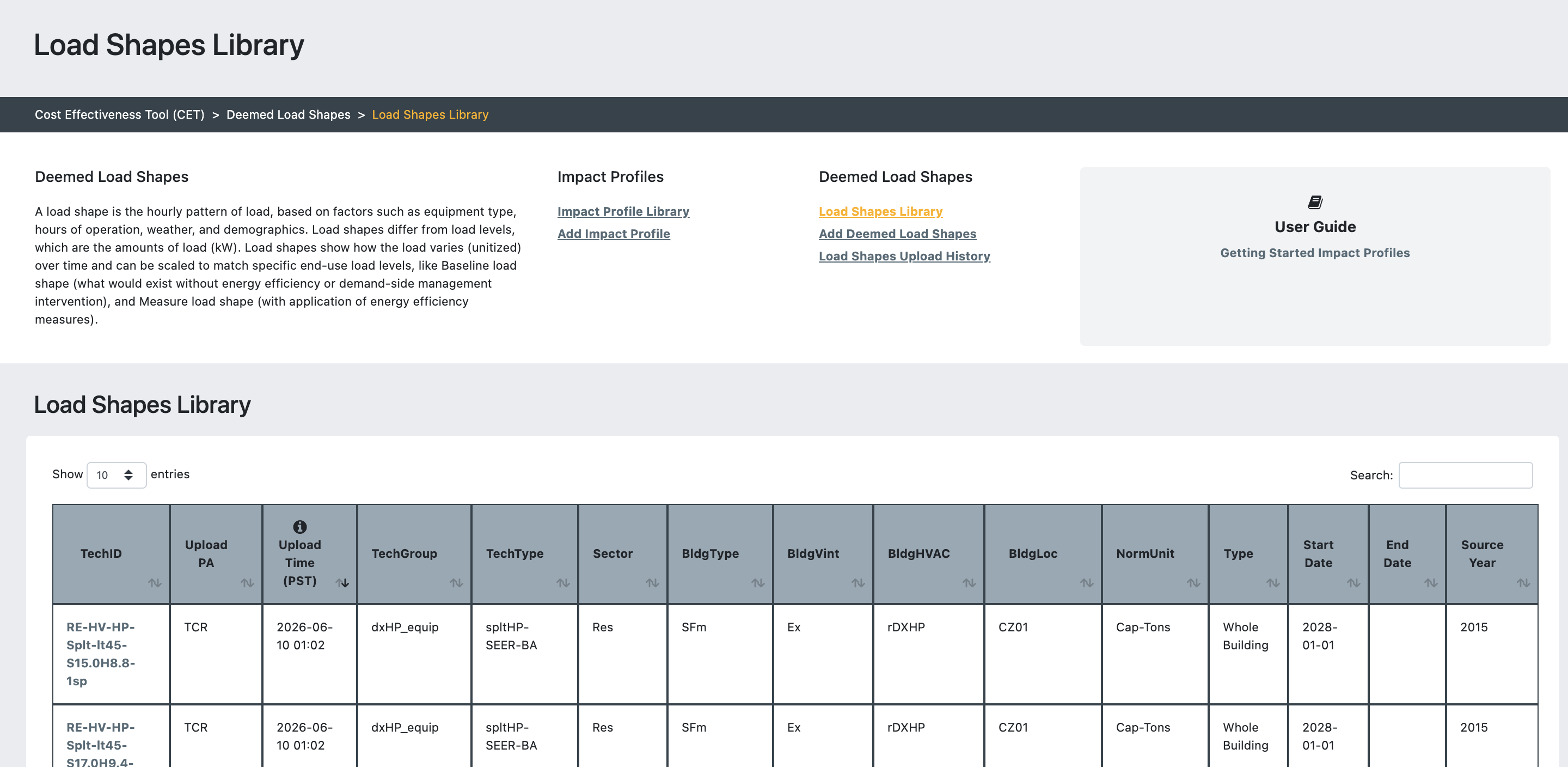
Load Shapes are automatically added to the library, where you can view the daily consumption profiles.
Generated Impact Profiles are added to the library, to view you can filter by Load Shapes
Benefits
This feature streamlines the process of developing and testing draft measures by providing a direct workflow from eTRM measure package development through to Impact Profile generation and CET evaluation within CEDARS.
Documentation
User guides and supporting documentation for Load Shapes, including upload requirements, validation rules, and processing logic, are currently being finalized and will be published in CEDARS shortly.
ℹ️ Future enhancement:A dedicated Measure Developer user type is currently under development. This role will provide access to the Load Shapes workflow without requiring broader Program Administrator permissions.