
Changelog

Follow new updates and improvements to Cedars.

Email Notifications for Impact Profiles Generated from Load Shapes
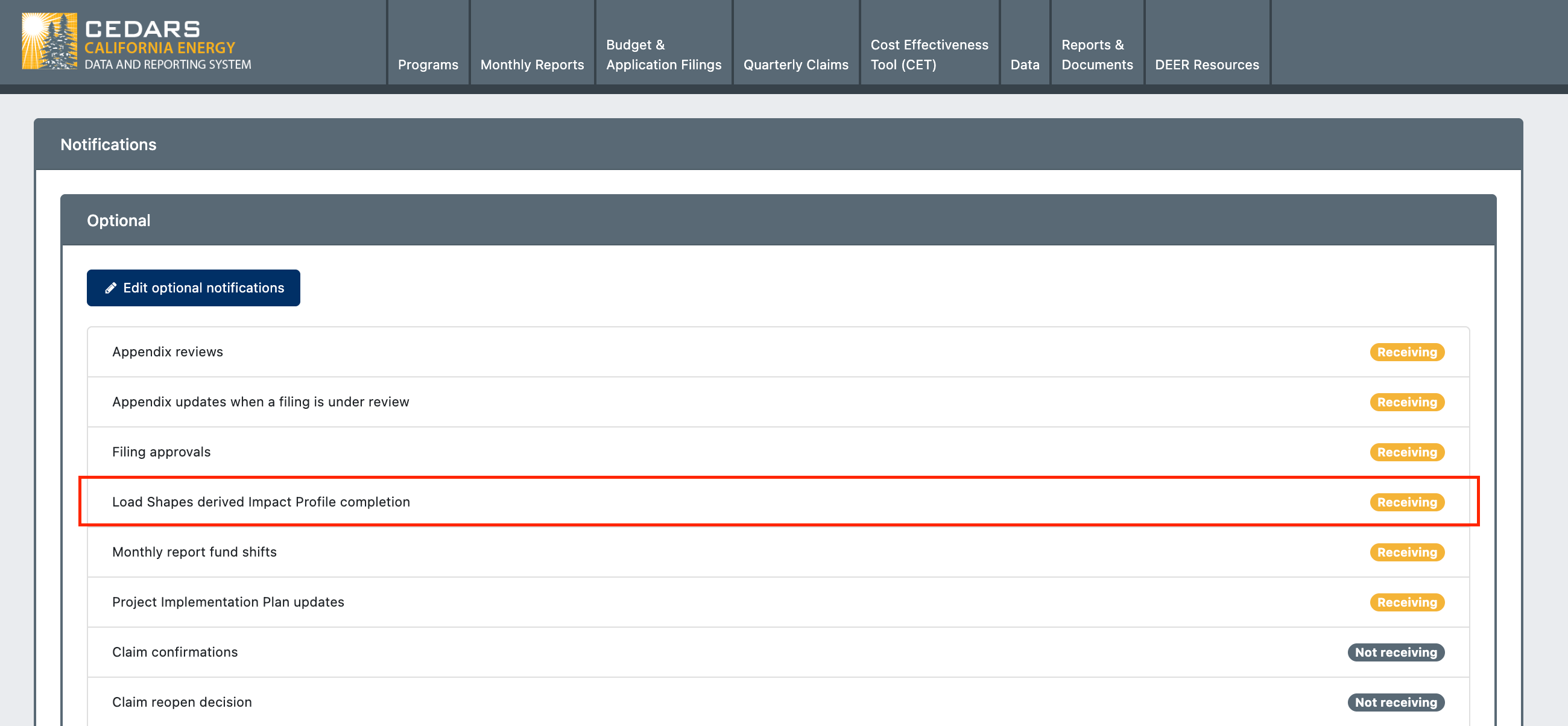
This update adds an optional Load Shapes derived Impact Profile completion notification for certain user types. If opted in for these notifications, the uploader will receive a success or failure email for the corresponding Load Shapes upload once the Impact Profile generation finishes. This notification is off by default and must be opted into.

User Types With Access to This Notification

  • PA Ordinary

  • PA Admin

  • PA Measure Developer

Email Details

Each email notification includes:

  • Status (e.g., “successfully completed”, “failed”)

  • Upload ID

  • Uploaded Filename

  • Draft Measure Package

  • Upload Time (PST)

  • Impact Profile Generation Start Time (PST)

  • Impact Profile Generation Completion/Failure Time (PST)

  • Link to QC Summary

How to Opt In

Users interested in receiving email notifications when Load Shape derived Impact Profile generation completes can opt in by navigating to the Notifications page.
Impact Profiles Bulk Download Removal

We're notifying you of an important update addressing system integrity and usability improvements.

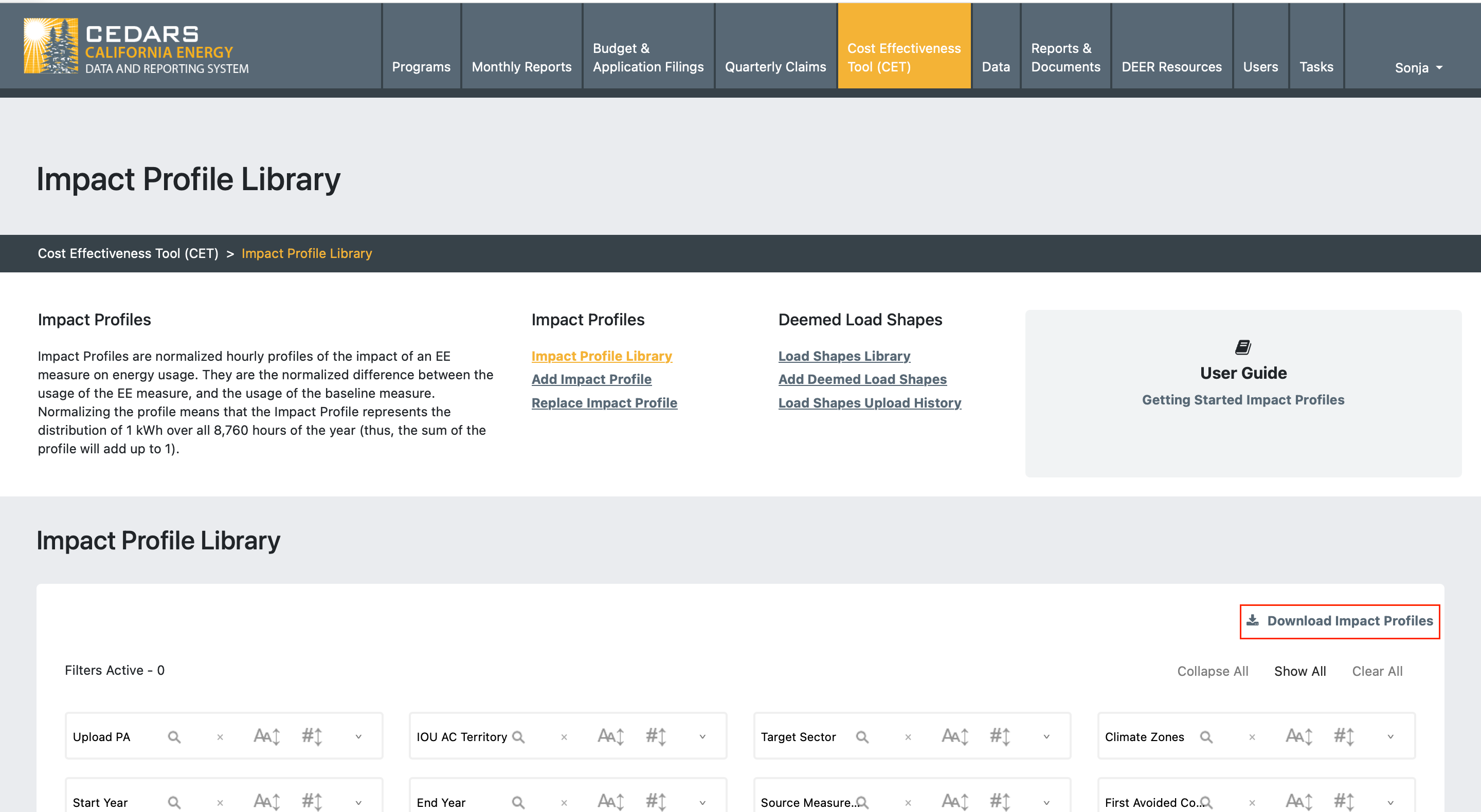
Removal of "Download Impact Profiles" Library Feature

We have retired the "Download Impact Profiles" bulk download functionality. This feature, which allowed the exportation of all Impact Profiles including hourly data, is no longer sustainable due to increased system demands:

  • Reason: Given the expanded library of load shape derived impact profiles, utilizing the feature could result in critical memory failures.

  • Usage Analysis: Data shows that there has been no usage of this feature since June 2025.

  • Future Opportunities: If bulk download functionality is desired, it can be reinstated with enhanced safeguards or implemented as smaller, optimized export methods.

Information for Users

  • Individual Impact Profiles remain downloadable.

  • Requests for specific bulk data can be addressed by our development team.

New User Type for Load Shape Measure Developers & Permissions Update

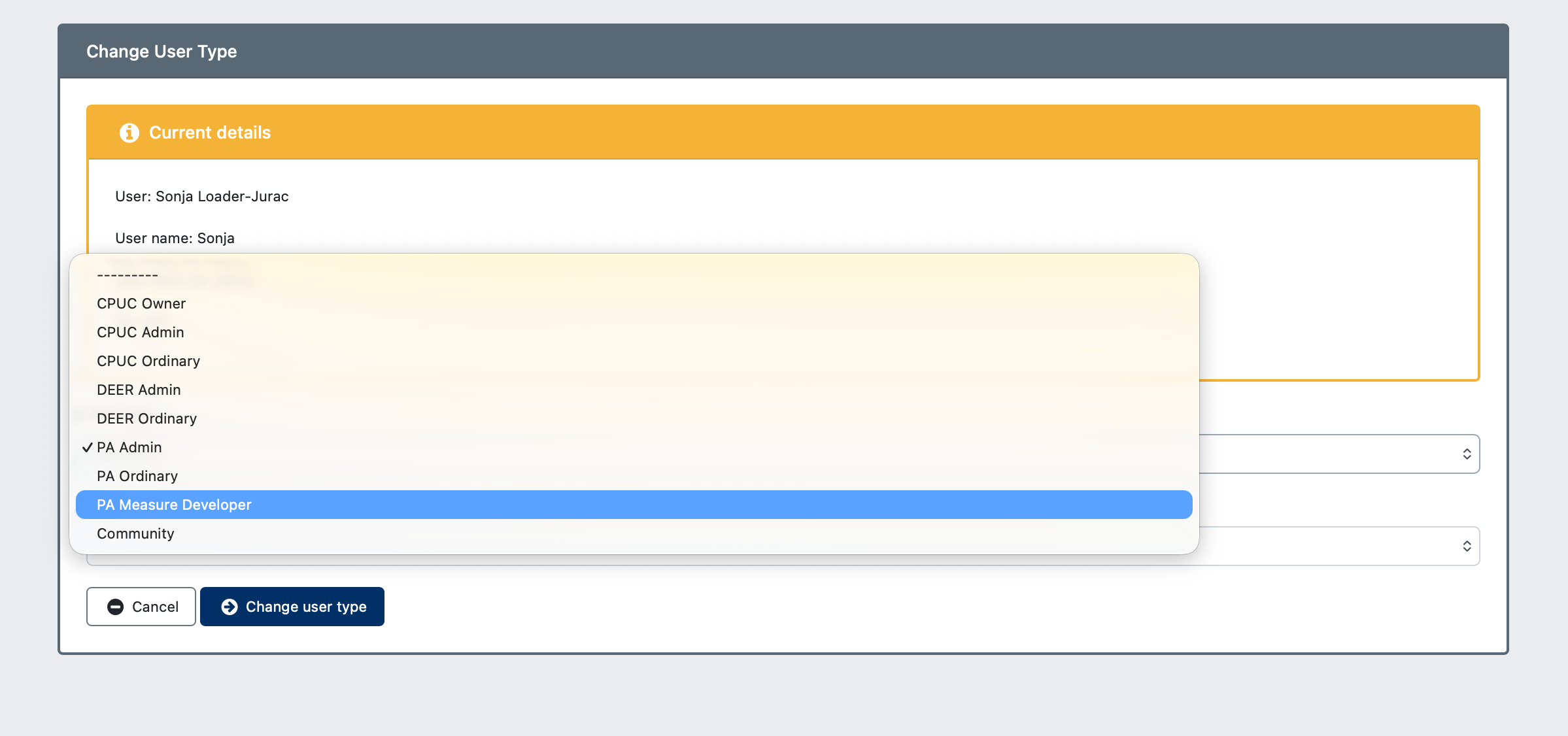
Introduction of the PA Measure Developer User Type

This update introduces the PA Measure Developer user type in CEDARS, granting tailored permissions for adding load shapes and generating impact profiles, but restricting access to the other PA reporting submission tools.

Permissions Overview

  • Load Shape Library: Public access.

  • View Load Shape Graphs: Public access.

  • Add a New Load Shape: Accessible to PA Measure Developer, PA Ordinary, PA Admin.

  • Load Shape Upload History: Accessible to PA Measure Developer, PA Ordinary, PA Admin, with visibility restricted to their respective organizations.

Usage Instructions

Existing users interested in changing their role to PA Measure Developer should contact their team administrator or email cedars-team@sharperinfo.com to request the change.

Earlier updates