Quarterly Claims - 502 bad gateway error on file upload
Upload Claims batches are not processing in staging (and testing) due to server errors.
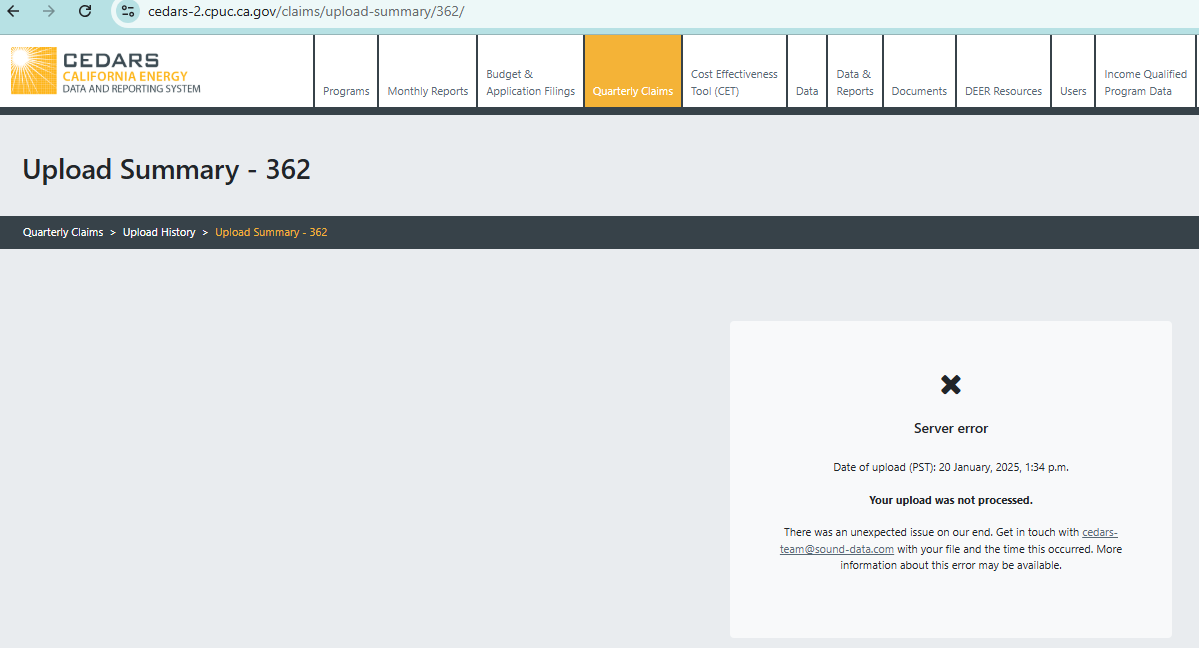
Excel file format is failing due to server error and zip file format is failing due to “502 bad gateway” error. Please see details below for the sample uploads:
Excel file format: https://cedars-2.cpuc.ca.gov/claims/upload-summary/362/
Zip file format:

- Select the module in CEDARS
- Select user type
Log in to comment and vote
Comments10
Roopa Reddy
Feb 3, 2025
@cedars team
1/31/2025
I found a workaround to upload zip file
Step #1: Navigate to Upload Claim. Choose file. Then Select Upload
If 502 error page appears*, go to step #2. Otherwise, no action is required.
*For the test file I used with a file size of 300KB, 502 error appeared in ~90 seconds
Step #2: Select back button on the 502-page shown below. This takes you back to the Upload Claim page.
Step #3 Select Upload (with no changes to the file selection)
In less than 5 sec, the file starts processing and appears in the Upload History log.
Example: Upload 378 - Filename “PGE2024Q4_250303_PA_test.zip” https://cedars-2.cpuc.ca.gov/claims/upload-summary/378/
It appears that the file upload needs to complete before CET can start processing. A slight delay between the two tasks may be needed?
I can use the workaround for now plus excel upload is a backup option. Thanks.
cedars team
Jan 20, 2025
I’ll get the team to look at this right away. Thanks for logging the ticket.
cedars team
Jan 21, 2025
@RoopaReddy_PGE could you please email us the ZIP files you last used that gave you the 502 error.
RoopaReddy_PGE
Jan 21, 2025
@cedars team Yes, just sent it. Thanks.
cedars team
Jan 23, 2025
@RoopaReddy_PGE, we think the issues on staging and testing environments have now been resolved. Please let us know if you are still seeing server errors or 502 page.
RoopaReddy_PGE
Jan 23, 2025
@cedars team
I’m still getting 502 error for PA claims upload. This is a serious concern for me since I’m unable to submit Q4 data. I rebooted my computer, but it did not help. Please advise.
I had Wilson on our team, who has a similar profile as mine, i.e. PA admin user, upload my file, and it completed processing in cedars-2: https://cedars-2.cpuc.ca.gov/claims/upload-summary/367/.
cedars team
Jan 23, 2025
We will look into this some more.
RoopaReddy_PGE
Jan 24, 2025
Thank you.
RoopaReddy_PGE
Jan 24, 2025
@cedars team
I tested with the following use cases on cedars-3:
PA Upload
File size with ~300KB in the zip format failed with 502 error. Upload tries for 2-3 minutes and ends in 502 page.
File size with ~3KB (1 record) in the zip format loaded.
File size with ~300KB in the excel format loaded.
SW Upload
Files in zip format are loading without any issue.
I use zip file format for loading varying volumes of data and accurate results.
Excel file format often rounds off numbers during export resulting in inaccurate results.
Need your support to address the root cause of this problem.
RoopaReddy_PGE
Jan 29, 2025
1/28/2025 - I performed additional testing after test environment was cloned from production and shared below upload results and test files with cedars team, via email.
As discussed with Sky, I tested the zip file format in PA upload area with different file sizes listed below.
File size ~3000 KB (about 6,600 claims) - “502 Bad Gateway” error page
File size ~3 KB (single claim) – loaded successfully https://cedars-3.cpuc.ca.gov/claims/upload-summary/349/
Upload file “test zip format-1000 records.zip” is attached in the email.
File size ~100 KB (about 1000 claims) – “Missing sheets or CSV files: Claim” error
Upload file “test zip format-1000 records.zip” is attached in the email.