Update validation for empty columns in the first column
Validation is correct when empty columns are added in between the headers. However, when an empty column is added in the first column, the error states that there is an empty header after the last column in each sheet instead of in the first column.
For example, ProgramCost sheet: There is an empty header after the PA header should be ProgramCost sheet: There is an empty header before the PrgID header.
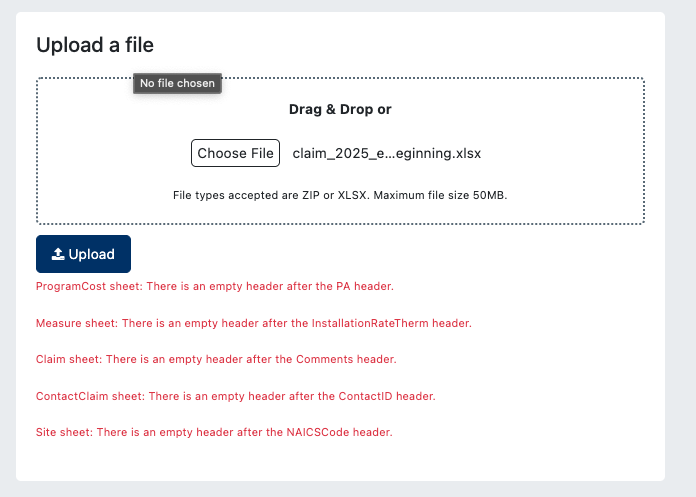
Used example file:
claim_2025_testing_empty_column_beginning.xlsx
24.7 KB• Spreadsheet
- Environment
- Testing cedars-3
- Select user type
Log in to comment and vote
Comments1
Jun 10, 2025
PinnedThis has been fixed.