Sort climate zones in the custom impact profiles library
As a user, it would be nice if the climate zones associated with a custom impact profile were in the correct ascending order. The current ordering is 1, 11, 12, etc. (see screenshot).
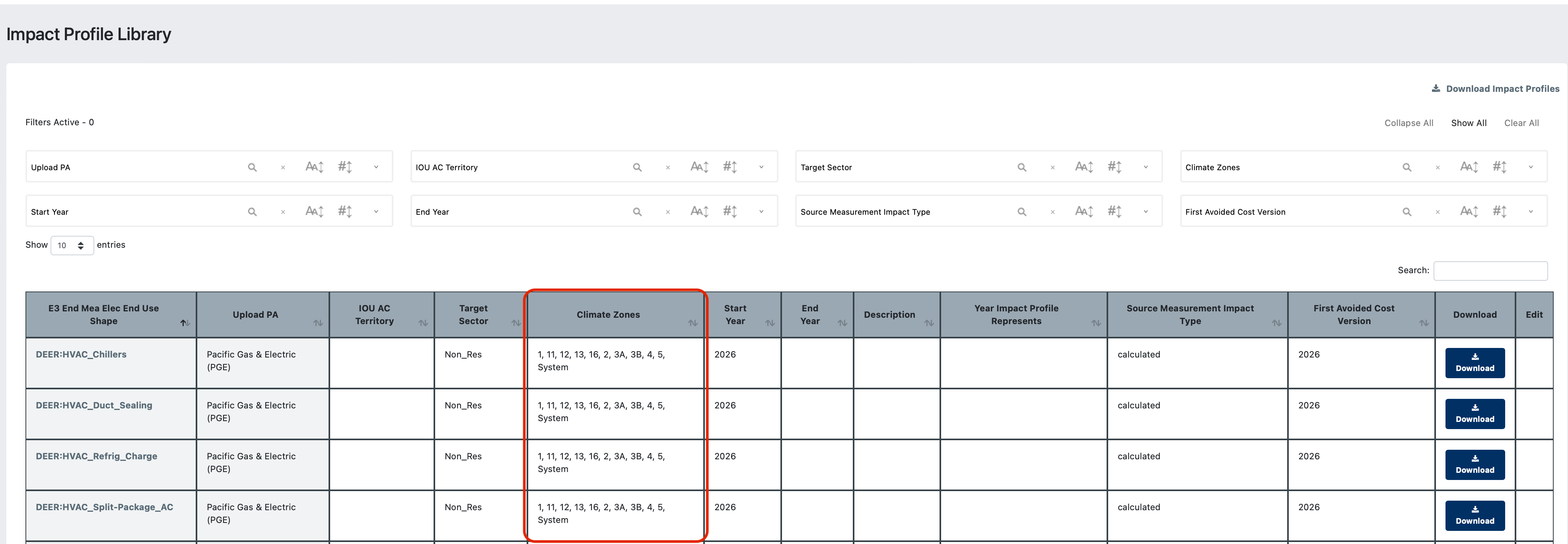
- Select the module in CEDARS
- Select user type
Log in to comment and vote
Comments1
Derya Gumustel
May 8, 2025
Fun fact, the climate zones appear in the same order (1, 10, 11, 12, etc) on the CZ value list. Maybe we can fix it in both places at once?