Published Custom Impact Profile download button missing
“View” button does not download the Custom Impact Profile data anymore (the button was previously called “Download”).
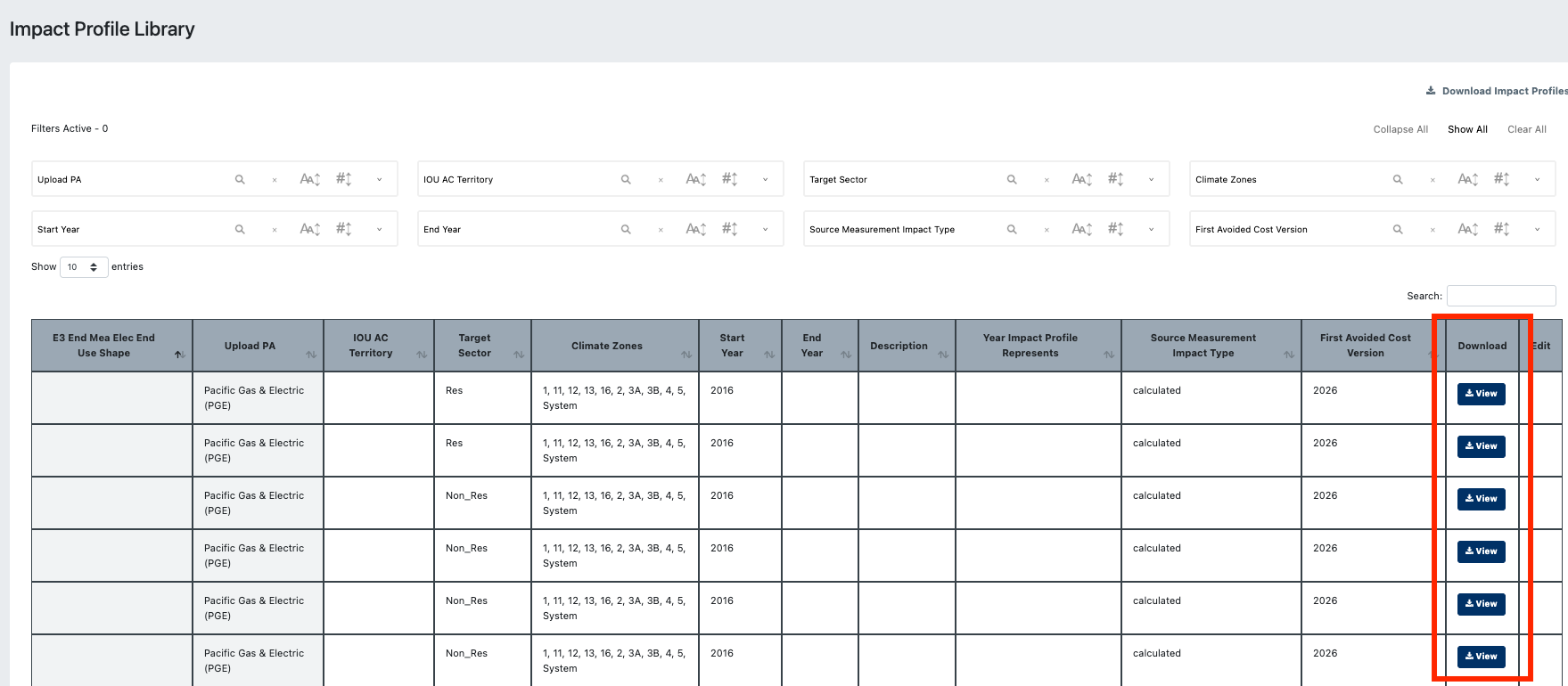
Instead, we get navigated to viewing the Impact Profile page - Daily Impact Profiles and Quarterly Avoided Costs are not visible:
“Chart not available as no data has been uploaded for this climate zone.”
“Quarterly costs have not yet been generated because not all climate zones have 8760 impact profiles uploaded.”
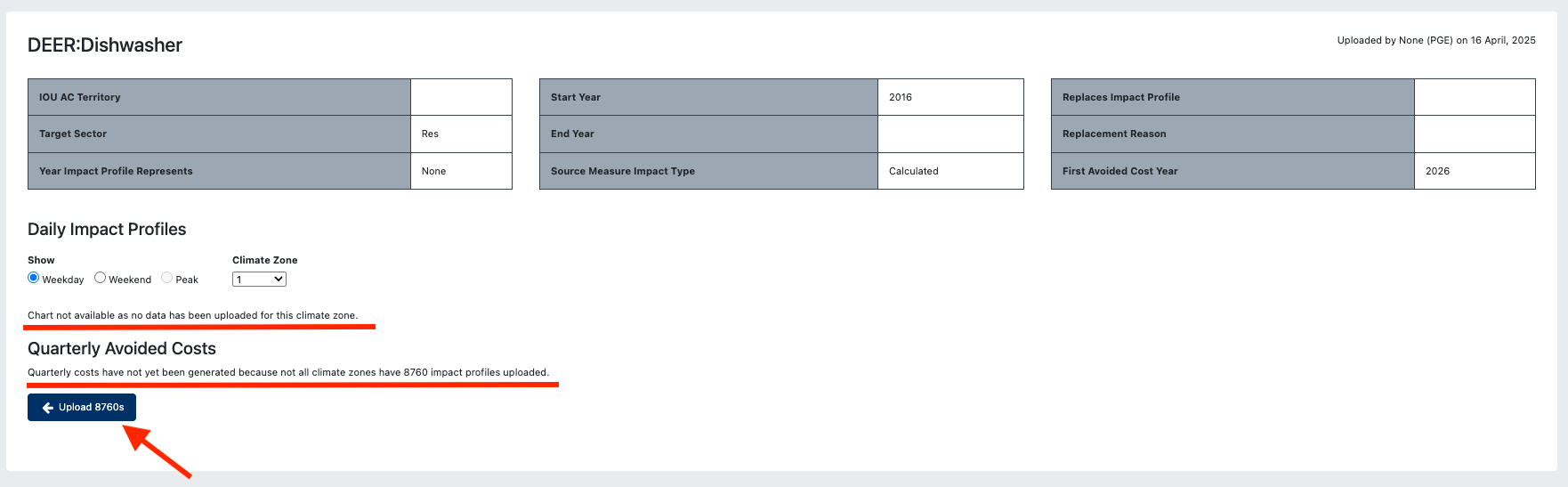
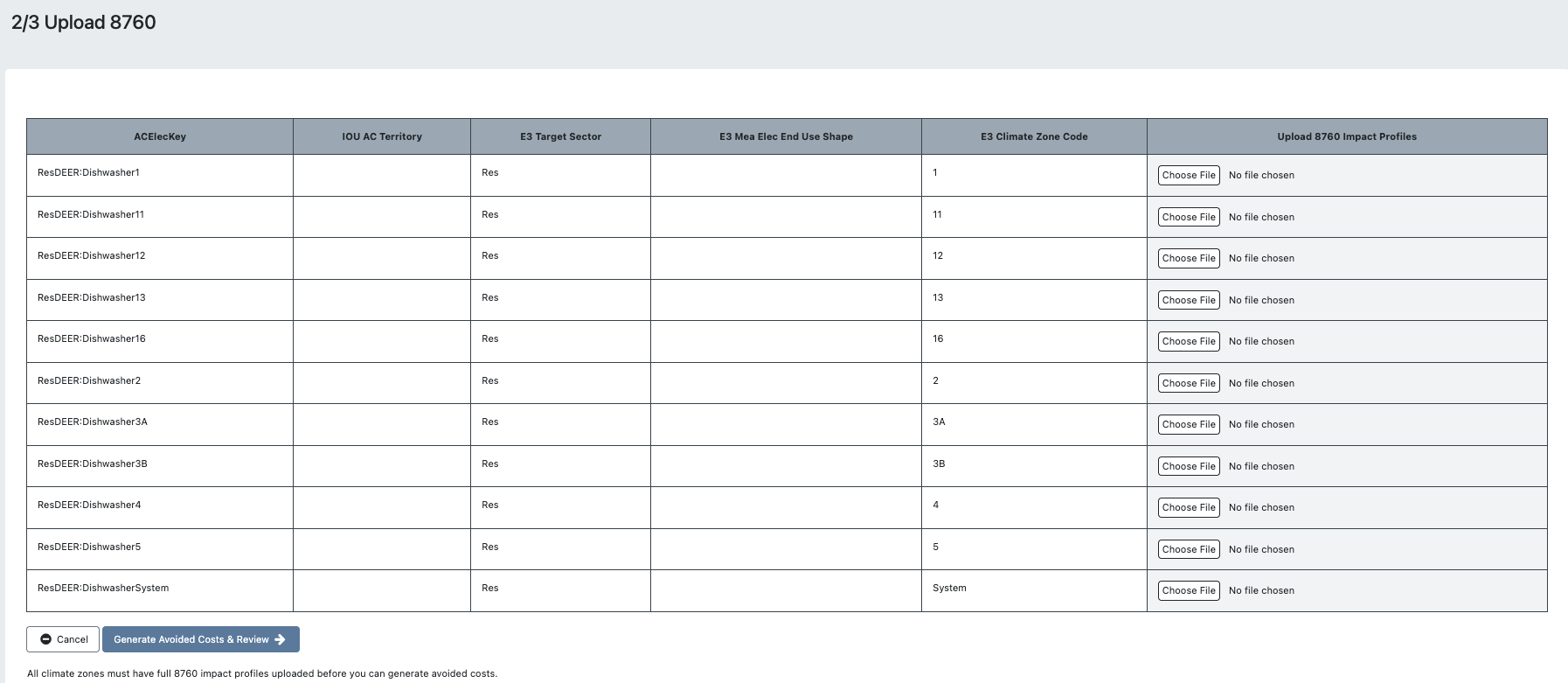
Clicking “Upload 8760s” button navigates us to step 2/3 Upload 8760 page (instead of back to the library), to upload data even for other users/user groups.
This may be linked to this issue → Previously published Custom Impact Profiles missing data: https://cpuccedars.featurebase.app/p/previously-published-custom-impact-profiles-missing-data
- Environment
- Staging cedars-2
- Select user type
Status: No Fix Required
Log in to comment and vote
No comments yet
Be the first to share your thoughts.