Budget Filing: Upload rejected with no QC feedback
I need assistance with troubleshooting the cause of the upload rejection.
Note that the upload #1356 https://cedars-3.cpuc.ca.gov/filings/cei/1356/ QC feedback below shows 2 errors.
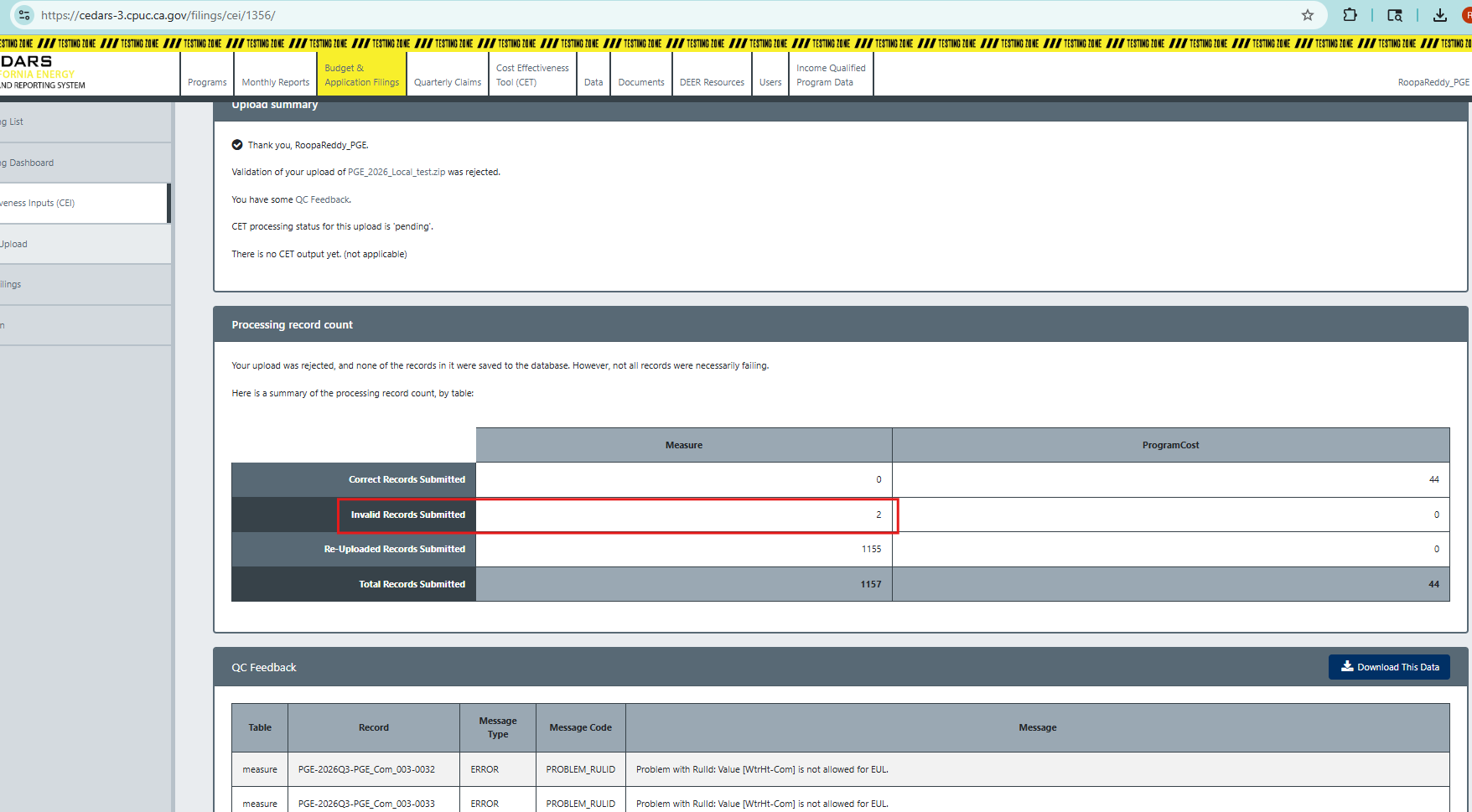
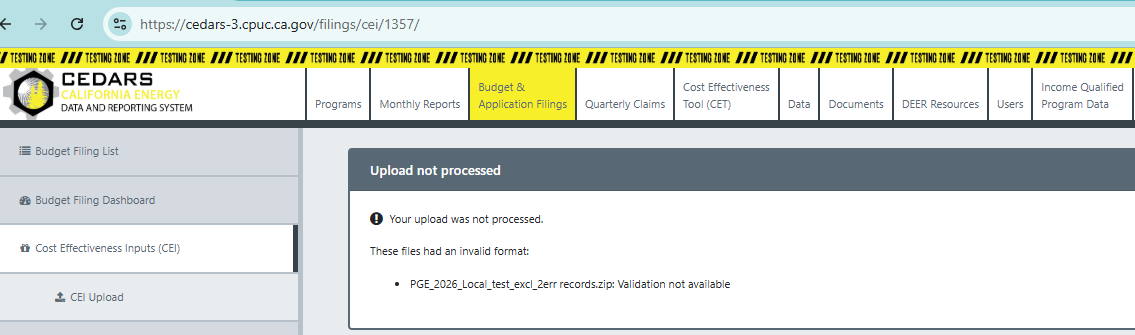
I removed the 2 error records and re-uploaded the batch (#1357) https://cedars-3.cpuc.ca.gov/filings/cei/1357/. However, the upload is being rejected without any QC feedback. Could you please provide the details of the issue causing the upload to fail? Thank you.
- Environment
- Testing cedars-3
- Select user type
Log in to comment and vote
Comments9
Roopa Reddy
Jul 23, 2025
Hi @Derya Gumustel @Jennifer Scheuerell I did some research on the BOM on my end. I have a temporary solution. I opened Measure.csv and ProgramCost.csv files in a text editor (encoding shows as “UTF-8 with BOM”) and resaved these files with encoding as UTF-8. I retested the PA and SW batches with this fix (upload id #1354 and #1355), and the files loaded successfully. Upload screenshots attached below for reference.
Derya Gumustel
Jul 23, 2025
Hi @RoopaReddy_PGE thank you for letting us know! I’m going to mark this ticket as complete for now but I’ll keep an eye out in case this becomes an issue again in the future.
Roopa Reddy
Jul 22, 2025
Hi @Derya Gumustel I have a similar issue with the SW upload batch #1381 CEI Upload History - CEDARS. I believe I addressed all the data errors, but the upload was rejected with an “invalid upload” error and there is no QC feedback available to download.
Can you please confirm if the BOM error will be addressed on CEDARS end?
Thank you.
Derya Gumustel
Jul 22, 2025
Hi @RoopaReddy_PGE, sorry I didn’t get to this one yesterday! It looks like our team cloned to testing overnight and cleared out recent SW uploads. Do you mind attaching your upload files here or reuploading them on cedars-3? I can take a look and see if it’s the same BOM issue as yesterday. Jenn is also currently looking through our resources to see if we have any guidance on this issue going forward.
Roopa Reddy
Jul 22, 2025
Hi @Derya Gumustel No problem. I uploaded my batch that is failing with ‘invalid upload’ error. Please review batch #1342 in cedars-3 https://cedars-3.cpuc.ca.gov/filings/cei/statewide/cei-list/. Thank you.
Derya Gumustel
Jul 22, 2025
@RoopaReddy_PGE Great, thank you! Looks like the ProgramCost file had the BOM this time. Featurebase won’t let me upload a .zip so I’ll send it to you via email again. I hope it helps!
Roopa Reddy
Jul 22, 2025
@Derya Gumustel I uploaded your file w/out BOM and the batch loaded successfully without any errors https://cedars-3.cpuc.ca.gov/filings/cei/1344/. Thank you.
Derya Gumustel
Jul 21, 2025
Hi @RoopaReddy_PGE, thank you for providing these details. I downloaded your zip file and made a slight change to the underlying character encoding that might have been producing this vague QC feedback message. Do you mind retrying the upload with the version I’m attaching here? I would try it in your place but don’t want to interfere with any other testing you might be doing.
Edit: Instead of attaching the file here I’m going to email it directly to you, sorry for the confusion!
Roopa Reddy
Jul 21, 2025
Hi @Derya Gumustel Thank you for sending the upload file without BOM. The file processed successfully without any errors. You can find the QC feedback here https://cedars-3.cpuc.ca.gov/filings/cei/1371/. QC feedback screenshot is also attached below for reference.
Please advise on how to avoid the BOM in the input files. Thank you.